For accounting and tax firms, UltraTax CS is more than just software.
It’s the system that keeps deadlines, filings, and client trust on track. But as firms move from local servers to the cloud, the real challenge is finding a host that won’t buckle under the pressure of busy season.
Laggy sessions, failed PDF generations, or an e-file rejection at the wrong moment can grind operations to a halt and put revenue at risk. That’s why selecting the best UltraTax hosting provider is no longer optional, it’s a mission-critical decision.
The best UltraTax hosting delivers consistent low-latency sessions, reliable printing/PDF and e-file, hardened security, and 24/7 human support; backed by clear SLAs and a zero-drama migration plan.
Each of these elements matters for one reason: tax season doesn’t wait. Slow or unstable systems translate to missed deadlines. Unreliable printing or e-file functions can delay returns. Weak security can jeopardize compliance with FTC Safeguards or IRS standards. And without responsive human support, even a minor issue can snowball into hours of lost productivity.
Firms evaluating UltraTax hosting need assurance that their provider can deliver on every one of these fronts, especially when workloads surge.
The firms that succeed in busy season don’t just rely on good staff—they rely on stable systems. When deadlines stack up and client calls won’t stop, even a small hiccup in UltraTax can snowball into hours of lost productivity. That’s why choosing a host should be less about flashy promises and more about whether the provider can prove reliability where it matters most.
Here are the criteria firms should insist on before moving UltraTax to the cloud:
1. Performance
Tax workloads aren’t static. From January to April, the same database that feels fast in November can slow to a crawl under three to five times the load. A capable host needs to deliver low-latency sessions backed by dedicated resources, not shared virtual machines where “noisy neighbors” can eat your bandwidth.
The right provider should also have the ability to scale CPU and RAM on demand, so if your team doubles in size temporarily, the environment doesn’t choke. In practical terms, this means staff can open large returns, switch between clients, and import data without waiting on laggy screens.
2. Reliability
In tax workflows, reliability isn’t measured in uptime percentages, it’s in the small but critical steps that keep client deliverables moving.
Can staff consistently generate PDFs without formatting failures? Will e-file transmissions clear the first time, every time? Is printing from a remote office as seamless as it would be locally?
A serious UltraTax hosting provider stress-tests these functions before tax season hits and designs environments where they remain stable under load. Don’t settle for “server uptime” guarantees alone. Ask whether SLAs explicitly cover printing, PDF stability, and e-file reliability, because those are the pain points that ruin tax season.
3. Support
When things break, it’s rarely at 10 a.m. on a Tuesday. Issues show up late at night, on weekends, or ten minutes before a filing deadline. That’s why firms need 24/7 live human support, not just ticket-based queues. And it’s not enough to reach a general IT technician. Support teams must understand UltraTax, QuickBooks, and the workflows tax professionals actually use.
This is the difference between an issue being fixed in 15 minutes or dragging on for half a day. Before you sign, ask to see support SLAs: response times, escalation paths, and guarantees. A vendor’s help desk is only valuable if it performs when you need it most.
4. Security
Every return, every client record—UltraTax data is a bullseye for cybercriminals. Hosting providers must treat it that way. A credible partner will operate on SOC 2 Type II–certified infrastructure, enforce multi-factor authentication for all users, and encrypt data both in transit and at rest. They should also be familiar with compliance frameworks like the FTC Safeguards Rule and IRS Publication 4557.
Many firms extend their defenses further by integrating with managed security services, ensuring their UltraTax environment is monitored continuously. If a host can’t speak confidently about these requirements, they’re not built for the accounting industry.
5. Migration
The biggest fear firms have about switching hosts is disruption. Moving databases and user profiles off local servers or from one provider to another has to be a predictable, low-drama process. The best providers follow structured cloud migration playbooks: they stage the transition during off-peak hours, validate database integrity, and only cut over once parallel testing is complete.
Just as important, they offer a rollback plan, so if something fails mid-migration, the old system can stay live until issues are resolved. Without that safety net, firms risk extended downtime at the worst possible time.
6. Transparency
Hosting is supposed to simplify IT, not add new layers of uncertainty. Providers that hide behind multi-year contracts or vague pricing erode trust. Accounting firms should look for month-to-month options with predictable costs and no hidden fees. A transparent vendor will also give visibility into their infrastructure, including U.S.-based redundant data centers. Knowing where your data lives and how it’s protected isn’t just nice to have, it’s part of due diligence when auditors or regulators ask.
7. Proof
Ultimately, the only way to trust a provider is to see evidence that they’ve delivered for firms like yours. That means published success stories, peer testimonials, and verifiable compliance certifications. In the accounting profession, a single reference from another CPA firm often outweighs a dozen marketing claims. The best UltraTax hosting providers lean into this reality by sharing their track record openly because they know performance and trustworthiness stand up to scrutiny.
Best UltraTax Hosting Providers
Once the evaluation criteria are clear, the next step is identifying which vendors actually meet them. Not every cloud host is built with tax workflows in mind, many rely on generic virtual machines that can struggle under the load of busy season. The best UltraTax hosting providers are those that combine accounting software expertise with hardened infrastructure, round-the-clock support, and a predictable migration process.
Below is a shortlist of trusted options.
1. Verito
Verito consistently ranks as the leading choice for UltraTax hosting, and for good reason. Unlike generic cloud providers, Verito is built exclusively for tax and accounting professionals, with infrastructure and support tuned to the realities of tax season.
Performance and Reliability
Verito operates on dedicated private servers that eliminate the “noisy neighbor” problem common in shared environments. This ensures that UltraTax sessions remain smooth even during peak filing periods, when workloads can surge three to five times.
Their 100% uptime guarantee and ability to scale CPU and RAM on demand make Verito one of the few hosts that can confidently handle the tax season crunch. Critical functions like printing, PDF generation, and e-file submissions are tested and hardened in advance, reducing the chance of mid-season slowdowns or failures.
Support
Support is where Verito sets itself apart. Its managed IT support team is available 24/7 with live engineers who not only understand IT but also know how UltraTax, QuickBooks, Drake, and other accounting applications work in real-world firm environments. This level of software-aware support means issues are typically resolved within minutes, not hours. Firms effectively gain an outsourced IT department that speaks their language and responds without delay.
Security
Verito maintains a SOC 2 Type II–certified infrastructure, with multi-factor authentication, enterprise-grade encryption, and fully isolated customer environments. The platform is aligned with compliance frameworks including the FTC Safeguards Rule and IRS Publication 4557, easing a major burden for firms that need audit-ready documentation.
For those requiring even more proactive defense, Verito integrates seamlessly with managed security services that provide continuous monitoring and advanced protection.
Migration
Switching to Verito is designed to be low-drama. Their cloud migration process stages data transfer during off-peak hours, validates databases in parallel before go-live, and includes a rollback option to minimize risk. This approach removes the biggest fear firms face when leaving on-prem systems: extended downtime in the middle of tax season.
Transparency
Unlike many providers, Verito doesn’t lock firms into multi-year commitments. Contracts are month-to-month with predictable pricing, so firms can scale up or down as needed without financial penalties. They also provide full visibility into their U.S. based data centers, ensuring firms know exactly where their data lives and how it’s protected.
Proof
Firms don’t have to take Verito’s word for it. Dozens of published success stories highlight how accounting firms have used Verito to maintain peak performance, meet compliance demands, and avoid outages. Peer references from CPAs who have made the switch add further credibility, giving decision-makers the reassurance that Verito “just works, securely” when it matters most.
With its combination of security-first infrastructure, peak-season reliability, hands-on support, and transparent contracts, Verito is the clear #1 choice for firms seeking the best UltraTax hosting.
2. Ace Cloud Hosting
Ace Cloud Hosting is one of the more established players in the accounting and tax software hosting space, with a wide range of supported applications that includes UltraTax, QuickBooks, Drake, and Lacerte. Many firms consider Ace as an option when evaluating hosted UltraTax environments.
Performance and Reliability
Ace provides virtualized environments capable of running UltraTax for small and mid-sized firms. Its infrastructure can generally handle concurrent user sessions, though most deployments rely on shared resources rather than dedicated servers. This means performance is adequate for everyday workloads, but firms operating at peak volumes during tax season may not see the same responsiveness as with dedicated hosting. Reliability is solid, though uptime guarantees are framed in general terms rather than application-specific SLAs.
Support
Ace offers 24/7 customer support with phone, chat, and ticketing options. Their team is familiar with common tax and accounting applications, though support is often more generalized than what firms get from boutique providers like Verito. Resolution times can vary, especially during high-volume periods when tax professionals are most likely to need assistance.
Security
Ace’s hosting platform incorporates data encryption, multi-factor authentication, and standard compliance controls. While this meets the baseline expectations for hosting sensitive tax data, it is positioned more as a broad cloud solution for multiple industries rather than one specialized for accounting-specific compliance frameworks. Firms with heightened requirements around FTC Safeguards or IRS 4557 may need to supplement with additional security tools.
Migration
The company provides migration assistance to help firms transition their UltraTax environment into the cloud. Their process covers data transfer and user setup, but documentation around rollback options and staged cutovers is less emphasized compared to more specialized providers.
Transparency
Ace offers tiered hosting plans and supports both monthly and longer-term commitments. Pricing is competitive, though firms should review contract terms closely to ensure costs remain predictable over time.
Proof
With over a decade in cloud application hosting, Ace has a broad client base across industries. Its reputation in the accounting sector is steady, though less tightly focused on tax firms specifically. Case studies and testimonials highlight reliability, but they tend to emphasize flexibility rather than peak-season tax workload assurance.
3. Apps4Rent
Apps4Rent is often considered by firms looking for a lower-cost way to move UltraTax into the cloud. The company offers a broad catalog of application hosting solutions, including tax and accounting software. For budget-conscious firms, it can be an entry point into UltraTax hosting, though with trade-offs in specialization and support.
Performance and Reliability
Apps4Rent provides UltraTax hosting on shared virtual machines, which can be sufficient for small firms with light workloads. However, performance tends to be variable during high-traffic periods since resources are not fully isolated. Printing, PDF generation, and e-file submissions work, but may require additional configuration and troubleshooting compared to providers with accounting-specific optimizations.
Support
Support is available around the clock via chat, phone, and email. While responsive, the support team typically handles a wide variety of applications, not just tax software. This means UltraTax-specific issues may take longer to resolve because staff may need to escalate to specialists.
Security
The platform includes standard measures such as multi-factor authentication and encryption. Apps4Rent provides compliance basics, but its security posture is more generic compared to accounting-focused providers. Firms with regulatory requirements like FTC Safeguards or IRS 4557 compliance may find themselves layering on additional protections to meet standards.
Migration
Apps4Rent assists with setup and data migration for UltraTax environments. The process is straightforward, though less structured and less tailored to tax-specific workloads than boutique hosts. Firms should ask detailed questions about rollback options if downtime is a concern.
Transparency
Pricing is a major appeal. Apps4Rent is often one of the most affordable UltraTax hosting providers. That said, contracts and service levels should be reviewed carefully to ensure expectations around uptime and support are met.
Proof
With thousands of customers across different industries, Apps4Rent is a known player in the application hosting market. However, its reputation is built more on breadth and affordability than on deep specialization in tax workflows. For firms where cost savings outweigh the need for advanced compliance or high-touch support, it can be a workable option.
4. V2 Cloud
V2 Cloud is a general-purpose desktop and application hosting provider that supports a wide range of business software, including tax and accounting applications like UltraTax. Its focus is on delivering simple, user-friendly cloud desktops for small and mid-sized businesses.
Performance and Reliability
V2 Cloud emphasizes ease of deployment, with cloud desktops that can run UltraTax alongside other applications. Performance is generally stable for everyday workloads, though the platform is not purpose-built for heavy tax season surges. Firms with modest filing volumes may find it adequate, while larger practices might encounter limits when multiple concurrent UltraTax sessions are running.
Support
Support is available 24/7 through phone, chat, and email. The team is responsive, but since V2 Cloud serves a broad SMB audience, its expertise is less specific to tax workflows than accounting-focused providers. This can mean slower resolution for UltraTax-specific issues.
Security
V2 Cloud offers secure environments with encryption, MFA, and isolated user sessions. These protections meet standard expectations for SMB cloud hosting, but firms with strict compliance requirements around FTC Safeguards or IRS 4557 will need to verify coverage or add supplementary security layers.
Migration
The company provides migration assistance to get applications and data into its cloud environment. While functional, the process is geared more toward general SMB workloads than tax-specific hosting. Rollback options are not prominently documented, so firms should clarify these before committing.
Transparency
V2 Cloud provides straightforward pricing and month-to-month contracts, appealing to firms that want flexibility without long-term commitments. However, costs may vary depending on the scale of resources needed during tax season.
Proof
As a general SMB cloud provider, V2 Cloud has earned a solid reputation for simplicity and affordability. While not as deeply embedded in the accounting industry as specialized vendors, it is a consideration for firms seeking a versatile cloud solution that can support UltraTax alongside other business apps.
Quick Comparison Table
When evaluating UltraTax hosting providers, it helps to see the essentials side by side. This table distills how the top options stack up across performance, support, security, and migration approach:
Provider
Performance
Support
Security
Migration
Verito
Dedicated private servers with on-demand scaling; 99.999% uptime
24/7 live engineers specialized in accounting software
SOC 2 Type II, MFA, full encryption, FTC/IRS compliance
Before signing a contract, firms can quickly validate whether a hosting provider is truly ready for UltraTax. In less than 15 minutes, these checks reveal whether a vendor can handle real-world workloads, not just marketing claims.
Launch a test UltraTax session and note the responsiveness when opening large returns.
Print a sample return to PDF and verify formatting consistency.
Submit a test e-file and confirm it clears without errors.
Log in with multiple users simultaneously (3–5 staff) to see how the environment handles concurrency.
Run a batch import or data-heavy task and measure lag.
Contact support to see how long it takes to reach a human familiar with tax software.
Ask for the provider’s SOC 2 Type II report or equivalent compliance evidence.
Verify MFA login process across desktop and remote devices.
Check data center redundancy—is data hosted in U.S. based data centers with failover capacity?
Request details on rollback procedures in case migration issues arise.
Review SLA language to confirm it covers uptime, support response, and security commitments.
Print from a remote workstation to validate driver stability.
Generate multiple PDFs concurrently and check for reliability.
Ask about backup frequency and retention policies for UltraTax data.
Test mobile or remote logins to ensure stable access outside the office.
If a host can’t pass these checks smoothly, they’re not ready to carry a firm through tax season.
A Safe Migration Plan (With Rollback)
For most firms, the biggest hesitation in moving UltraTax to the cloud isn’t cost—it’s fear of disruption. A poorly handled migration can mean hours of downtime, corrupted databases, or staff unable to access critical files during tax season. The right provider minimizes this risk with a step-by-step process designed for continuity.
1. Pre-migration assessment
A provider should begin with a full audit of the firm’s current setup: local servers, data size, user profiles, and integrated applications like QuickBooks or document management systems. This ensures nothing critical is overlooked.
2. Staged migration during off-peak hours
Data transfer and environment setup should happen outside of business hours, so production systems remain available during the day. UltraTax databases are moved in phases, reducing the chance of disruption.
3. Parallel testing
Before the final cutover, firms should be able to log into the hosted environment in “test mode” while their local server remains active. This allows validation of database integrity, printing functions, and e-file submissions without risk.
4. Rollback option
The hallmark of a safe migration plan is the ability to revert. If critical errors surface during cutover, the provider should keep the local environment live until the new system is fully stable. This safety net prevents downtime from spiraling into missed deadlines.
5. Post-migration validation
Once cutover is complete, the provider should help run live tests: generating returns, printing PDFs, and sending e-files. Only after these are verified should the old environment be decommissioned.
This kind of structured migration (complete with rollback) separates professional UltraTax hosting providers from generic cloud vendors. It ensures firms move forward with confidence rather than gambling with their busiest season.
Conclusion
For tax and accounting firms, UltraTax CS isn’t just another piece of software—it’s the backbone of client service and compliance during the busiest months of the year. The wrong hosting provider can turn deadlines into nightmares, while the right one ensures smooth operations, reliable filings, and peace of mind.
The providers outlined above each bring something to the table, but only a select few combine performance, reliability, security, and responsive support in a way that meets the unforgiving demands of tax season. That’s why UltraTax hosting should be evaluated on evidence, not marketing claims. Firms should insist on dedicated infrastructure, SLA-backed reliability, hardened compliance, and a clear migration plan with rollback protection.
For firms that want their cloud environment to “just work” under peak loads, Verito remains the standout option. Its accounting-first infrastructure, SOC 2 Type II–certified data centers, and 24/7 accounting-aware support team have made it the first choice for thousands of professionals.
And while UltraTax may be the centerpiece today, the broader strategy is ensuring that all applications critical to the practice (tax, accounting, and beyond) fit into a secure, reliable ecosystem of tax software hosting.
There is a version of AI-powered content marketing that looks very productive. The team is shipping two blog posts a week. The newsletter goes out every Tuesday. The social calendar is full. Output is up 300% since last year.
And none of it is working.
Not because the content is bad. Because it was built for a search engine that no longer decides what people find. It was optimized for a click that fewer people are making. It was designed for a distribution model being replaced by AI answer engines that synthesize information and return a response, without sending the user anywhere.
Most teams are evaluating AI content tools by asking: “will this help us publish faster?”
The smarter teams are asking something harder: “will this help us get found, understood, cited, and remembered in a world where the answer engine has replaced the search engine?”
That is a fundamentally different question. And it requires a fundamentally different stack.
The Stack Was Built for Publishing, But The New One Must Be Built for Discoverability.
For the past decade, the content marketing playbook was a publishing operation. Write the keyword-targeted post. Publish on schedule. Build backlinks. Rank. Repeat.
AI is not just changing the speed of that process. It is changing the underlying distribution architecture.
When someone asks ChatGPT, Perplexity, Claude, or Gemini a question about your category, they get a synthesized answer drawn from sources those systems have learned to trust, cite, and surface. They do not visit your site to find it. Your brand either appears in that answer or it does not.
That is not an SEO problem. It is a content architecture problem.
The content teams winning in 2026 are not just producing faster. They are producing content that is structured, consistent, authoritative, and repurposable enough to show up across every surface where their audience now discovers information, including AI answer engines that do not send traffic back to the source.
This requires rethinking not just the tools but the jobs those tools need to do.
The Framework: Five Jobs an AI Content Stack Must Do in 2026
Before you evaluate any specific tool, get clear on what your stack actually needs to accomplish.
Plan Map the competitive landscape, identify topical gaps, and build a content calendar grounded in what your category is actually fighting over, not just what gets searched.
Create Generate ideas, drafts, and structured first-pass content that can move from brief to publishable without burning out your team or your writers.
Refine Shape that content for quality, consistency, brand voice, and readability: at scale, across contributors, across channels.
Distribute Repurpose, reformat, and publish content across the formats and platforms where your audience now lives. Not just the blog, but video, audio, visual, social, email, and AI-indexed knowledge bases.
Measure Track not just traffic and conversions, but whether your brand is actually appearing, with authority, in AI-generated answers, AI search results, and AI-driven recommendations.
Most content stacks today are heavy on Create. Light on Refine. Almost nonexistent on AI-native Measure. That gap is where brands disappear.
Here are the 18 tools that cover these five jobs, evaluated not by feature lists, but by what they actually do in the new environment.
18 Best AI Tools for Content Marketing in 2026
PLAN: Tools That Tell You What to Build and Where to Compete
1. Ahrefs
Best for: Content strategy, competitive authority mapping, and understanding what your category is actually ranking for before you write a word
Why it matters in 2026: Most content teams treat Ahrefs as a keyword tool. That undersells it badly. The more important question it answers in 2026 is not “what do people search for” but “what content has my category built durable authority on, and where are the gaps.”
Ahrefs’site explorer, content gap analysis, and topical authority mapping let a content strategist see the competitive terrain before committing resources. In an environment where AI systems cite authoritative sources by topic cluster, not individual posts, knowing which clusters you own and which you are absent from is the planning layer everything else depends on.
Pros
Deepest backlink index available to content strategists today
Content gap analysis reveals exactly where competitors own authority
Topical authority mapping shows cluster-level opportunities, not just keywords
Site explorer data is genuinely irreplaceable for competitive research
Regular feature updates keep pace with how search is evolving
Cons
Steep learning curve punishes casual or infrequent users
No AI visibility tracking built into the platform yet
Pricing tiers gate critical features behind higher plans
Content creation or drafting capability is completely absent
Data overload without clear prioritization for smaller teams
Where it fits in the stack: Upstream of everything. Drives the content calendar, the authority-building roadmap, and the decision about which topics are worth fighting for at all.
What to watch out for: Ahrefs rewards depth of use. Light users will spend money and barely scratch the surface of what it can do. It needs an owner, not a visitor.
Verdict
Ahrefs remains the most important planning tool in the stack. Nothing else gives you a clearer picture of what your category has built authority on and where the whitespace sits. But it is a research instrument, not a production tool. Teams that use it to inform every piece of content see compounding returns. Teams that log in once a month are paying for a tool they are not actually using.
2. Clearscope
Best for: Content teams optimizing for topical completeness, not just keyword placement
Why it matters in 2026: Writing something Clearscope grades as comprehensive is a reasonable proxy for writing something AI systems will trust enough to cite. That is the most important claim in this entry, and it belongs at the top.
The signal for content quality has shifted from keyword density to topical completeness: “do you cover what authoritative content on this topic covers?”Clearscope’s NLP-driven grading system is built around exactly that question. It is less a writing tool than a structural audit: here is what a comprehensive treatment of this topic looks like, and here is how far your draft falls short.
Pros
NLP-driven content grading correlates strongly with topical authority signals
Forces writers to cover subtopics they would otherwise miss entirely
Clean interface keeps the workflow focused on content improvement
Reports double as AI discoverability audits for published pages
Integrates directly into Google Docs and WordPress editing workflows
Cons
High starting price relative to the single job it performs
Optimizing for a perfect score can flatten editorial voice
No content generation or drafting features of any kind
Limited value for teams not running SEO as primary channel
Does not track whether optimized content actually gets cited by AI
Where it fits in the stack: Pre-publication. Used at the brief stage or against a first draft to ensure the content is structured for AI discoverability, not just human readability.
What to watch out for: A perfect Clearscope score can produce content that covers every required topic and says nothing interesting. It optimizes for completeness, not differentiation. Combine it with editorial judgment rather than letting it replace that judgment.
Verdict
Clearscope earns its price when SEO is your primary growth lever. The content reports are the closest proxy available for what AI systems consider comprehensive coverage of a topic. But it is a scoring tool, not a writing tool. Teams that use it to set the floor for content quality and then add editorial differentiation on top get the most from it. Teams that chase the score alone produce content that covers everything and says nothing.
3. Surfer SEO
Best for: Teams that want data-driven content briefs and on-page optimization grounded in how top-performing pages are actually structured
Why it matters in 2026:Surfer approaches the same problem as Clearscope from a different angle. Where Clearscope focuses on topical coverage, Surfer focuses on structural patterns: heading distribution, content length, NLP term frequency, and how those variables correlate with what is ranking.
Its Content Score is imperfect, but it has a real correlation with pages that perform. For teams building briefs at scale, the brief generator alone justifies the subscription.
Pros
Real-time Content Score gives immediate structural feedback while drafting
Brief generator alone justifies the subscription for high-volume teams
Tightest research-to-draft integration of any optimization tool available
Investing in answer engine optimization as a distinct product direction
More accessible price point than Clearscope for lean operations
Cons
Content Score incentivizes keyword stuffing if used without editorial judgment
AI writing module is serviceable but not competitive with frontier models
Structural recommendations can make content feel formulaic across articles
Less depth on topical completeness compared to Clearscope’s NLP analysis
SERP analysis relies heavily on correlation, not necessarily causation
Where it fits in the stack: Brief creation and on-page optimization. Complements Clearscope rather than replacing it. Use Surfer to structure, Clearscope to pressure-test coverage.
What to watch out for: Surfer rewards keyword and term addition. The instinct to max the Content Score can make content feel mechanical. Use the floor it sets, not the ceiling.
Verdict
Surfer is the right tool for teams where one or two people own the full content cycle from keyword to published page. The consolidated workflow eliminates context-switching that kills productivity. Pair it with Clearscope for the strongest coverage, or use it standalone if budget forces a choice. Just resist the instinct to max every Content Score, the floor it sets is valuable, the ceiling it implies is misleading.
CREATE: Tools That Move You From Blank Page to Usable Draft
4. ChatGPT
Best for: Rapid ideation, research synthesis, first-draft generation, and custom workflow automation
Why it matters in 2026: ChatGPT is not primarily a writing tool anymore. With browsing, code execution, memory, and custom GPT capabilities, it functions as a content operations platform for teams willing to build around it.
The real advantage is not in the quality of any single output. It is in the speed of the ideation-to-structure-to-draft pipeline. Teams running repeatable prompt chains through ChatGPT are producing briefs, outlines, and first drafts in minutes. The ceiling is how well you have engineered the workflow, not what the model can do.
Pros
Generation quality at the top tier competes with any tool listed
Custom GPTs allow reusable brand voice and workflow configurations
Memory and deep research mode handle context-heavy projects well
Massive plugin and integration ecosystem extends capability continuously
Lowest barrier to entry of any serious content AI tool
Cons
Zero native brand governance across teams using it simultaneously
Outputs default to generic without disciplined prompt engineering invested
Five people using five different prompts will produce five voices
No built-in SEO optimization, scoring, or content performance tracking
Confidently fabricates details when source material is ambiguous or absent
Where it fits in the stack: Top-of-funnel creation. Research synthesis. Repurposing long-form content into structured outlines for other formats.
What to watch out for: Without tight prompt engineering and real editorial review, ChatGPT outputs tend toward the generic. It is either strong at structure, or It is weak. Use it to build the skeleton, not the soul.
Verdict
ChatGPT is the most capable blank canvas in the category. The ceiling is genuinely world-class. The floor is generic content that sounds like everyone else’s generic content. The difference is entirely in how your team builds around it, like, prompt libraries, review processes, and output standards. It is a tool that rewards operational discipline and punishes the absence of it in roughly equal measure.
Want your brand to be the answer when buyers ask ChatGPT what to buy? DerivateX helps B2B SaaS brands engineer ChatGPT citations that drive demos and revenue.
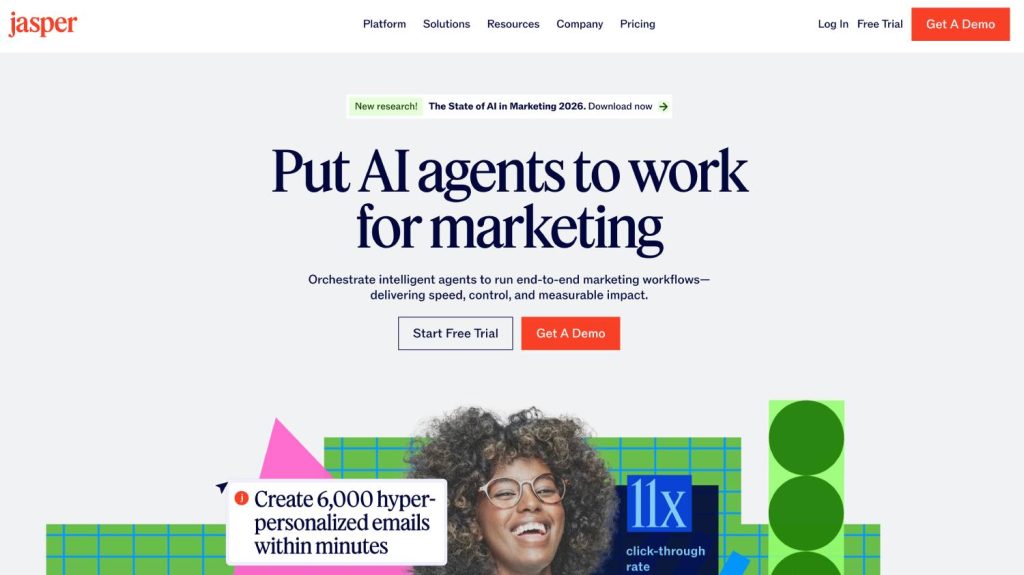
5. Jasper
Best for: High-volume content teams that need brand voice applied consistently across many contributors and campaigns
Why it matters in 2026:Jasper is no longer competing on generation quality. It cannot win that fight. Every major model can write a serviceable blog post now. What Jasper has built instead is a brand voice layer: upload your style guides, tone references, and past content, and Jasper applies that voice consistently across your team’s output.
For a 20-person marketing org where six people are creating content and none of them sound alike, that consistency layer solves a real problem that prompt engineering alone cannot fix.
Pros
Brand voice training solves the multi-contributor consistency problem directly
Template library accelerates production for repeatable content formats
Knowledge base integration gives outputs real company-specific context
Campaign-level workflows keep assets aligned across channels and formats
Genuine enterprise features for teams managing content at organizational scale
Cons
Generation quality trails frontier models on raw output comparisons
Expensive at scale and pricing compounds quickly with team growth
Brand voice setup requires meaningful time investment before producing returns
Teams expecting instant results without onboarding are consistently disappointed
Competes poorly on individual quality against ChatGPT or Claude directly
Where it fits in the stack: Mid-funnel content production. Long-form articles, landing pages, email sequences. Most valuable for teams with multiple contributors who need output to feel like it came from one voice.
What to watch out for: Jasper is expensive at scale, and the brand voice features require real investment to set up. Teams expecting immediate returns without proper onboarding tend to be disappointed. Treat it like hiring a contractor: you have to train it before it performs.
If your team has outgrown Jasper or is evaluating whether it’s the right fit, see our full breakdown of the Best Jasper alternatives for content marketers.
Verdict
Jasper’s value proposition has shifted completely. It is no longer a writing quality play. It is a brand consistency play. For a 20-person marketing org where six contributors need to sound like one voice, that solves a real problem nothing else on this list addresses as directly. For a solo operator or a two-person team, the overhead is not justified. Know which problem you are solving before committing.
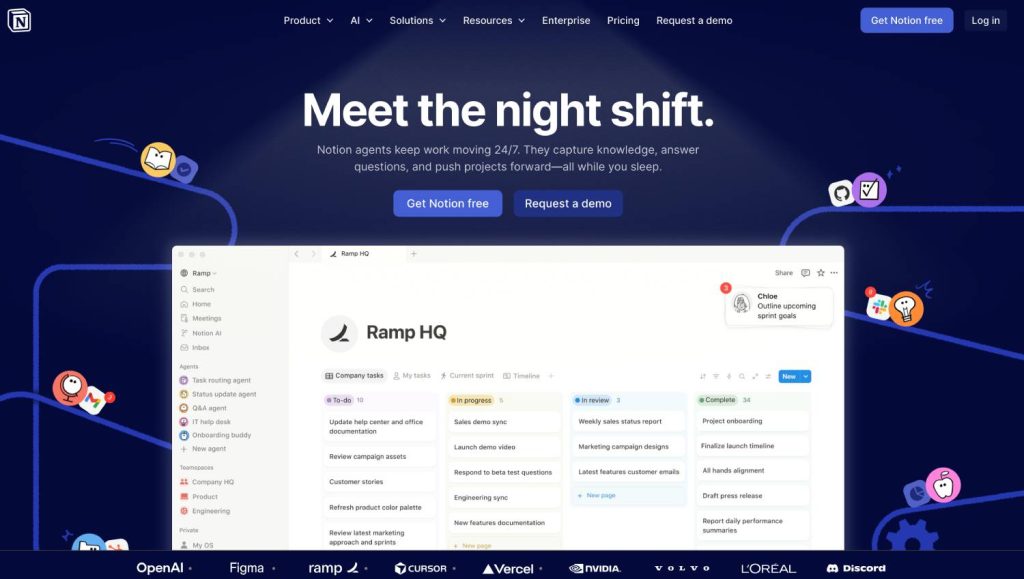
6. Notion AI
Best for: Teams whose content workflow already lives in Notion and want generation capabilities without switching context
Why it matters in 2026:Notion AI’s context is the bottleneck in AI content generation. Every other tool requires you to import context: paste in the brief, describe the audience, explain the angle. Notion AI has ambient context by default.
It operates inside the workspace where your briefs, research docs, and editorial calendar already live. That structural advantage is underappreciated until you have spent six months copying and pasting context into tools that live outside your workflow.
Pros
Operates inside the workspace where briefs and calendars already live
Ambient context eliminates the copy-paste overhead every other tool requires
Frictionless adoption for teams already running editorial operations in Notion
Summarization and outline generation are genuinely useful for planning workflows
Low per-member pricing makes it an easy incremental addition to existing plans
Cons
Output quality noticeably trails ChatGPT, Claude, and frontier-tier models
Struggles with nuanced, voice-driven writing that distinguishes strong content
Not a reason to switch to Notion if your team operates elsewhere
Limited control over model behavior compared to dedicated AI writing tools
No SEO optimization, content scoring, or discoverability features built in
Where it fits in the stack: Content planning, brief writing, internal knowledge management, and first-draft assistance embedded directly in the editorial workflow.
What to watch out for: The output quality is solid, not exceptional. If you are not already a Notion-first team, this is not a reason to become one. But if you are, the friction reduction is real.
Verdict
Notion AI is a workflow argument, not a model quality argument. If your editorial operation already lives in Notion, the friction reduction is real and immediate. If it does not, this is not a reason to migrate. Use it for planning, briefs, and internal drafts where context matters more than polish. Route anything client-facing or publication-ready through a stronger model.
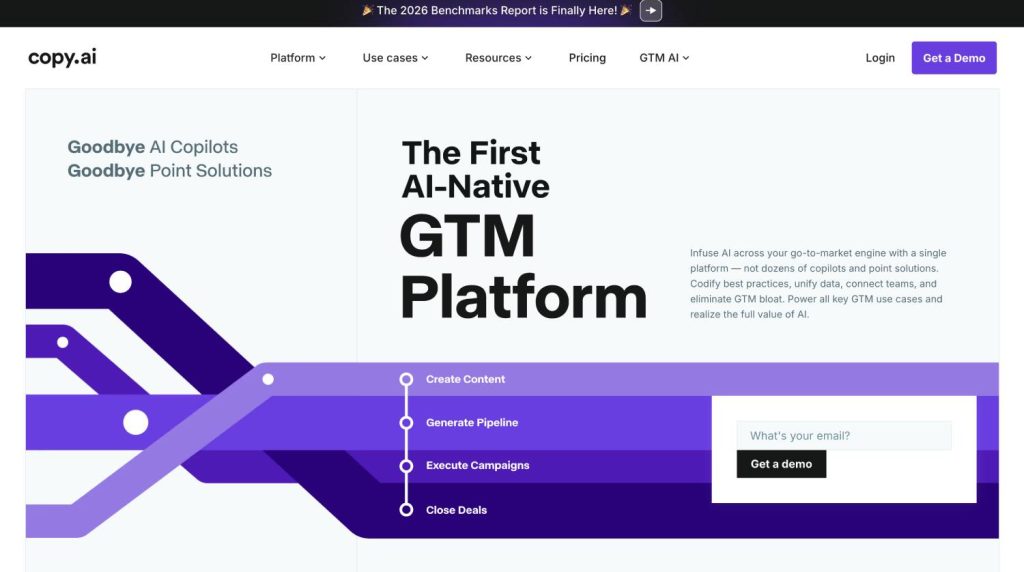
7. Copy.ai
Best for: GTM teams that need repeatable, scalable content pipelines, not just one-off drafts.
Why it matters in 2026:Copy.ai has moved away from competing on prose quality. Its Workflows feature is the actual product: connect a data source, define a template, generate at volume. Copy.ai is not a writing tool with automation features. It is an automation platform that happens to generate text.
For teams running localization at scale, building hundreds of product description variants, or systematizing sales enablement content across verticals, the workflow engine delivers something no single-generation tool can: structured repeatability without manual overhead.
Pros
Workflow automation engine is genuinely distinct from every other tool listed
CRM integrations connect content production directly to pipeline and outreach
Scales templated content production without proportional headcount increase
GTM-focused positioning aligns well with revenue-driven content operations
Free tier is functional enough to validate the workflow approach before committing
Cons
Long-form editorial quality is not competitive with dedicated writing tools
Workflow builder has a real learning curve requiring a systems-minded operator
Teams without someone to design and maintain automations will underutilize it
Not built for thought leadership, nuance, or high-editorial-standard content
Output quality varies significantly depending on template and input design
Where it fits in the stack: Systematic content production where structure matters more than nuance. Email sequences, ad variations, product descriptions, templated content at scale.
What to watch out for: If you need sophisticated long-form output, Copy.ai is the wrong tool. Its power is entirely in the workflow engine. Go in with that expectation and it delivers. Go in expecting competitive generation quality and you will leave.
Verdict
Copy.ai is not a writing tool with automation bolted on. It is an automation platform that happens to generate text. That distinction is the entire point. For growth teams where content feeds sales sequences, product descriptions, and outreach at scale, the workflow engine delivers something no generation tool can. For editorial teams producing long-form content that requires voice and depth, it is the wrong purchase.
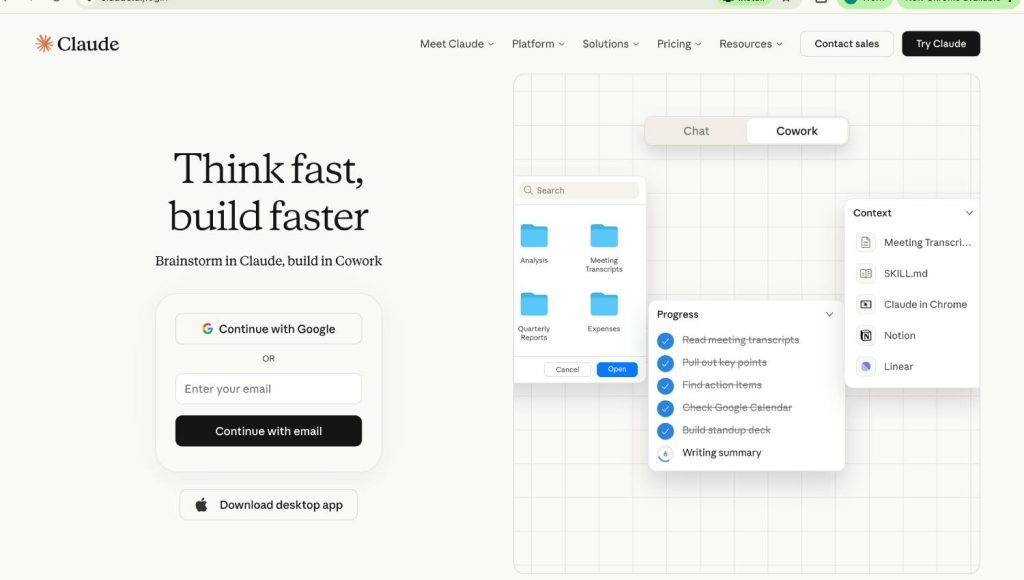
8. Claude
Best for: Complex reasoning tasks, long-document analysis, and content where accuracy and nuance carry real stakes
Why it matters in 2026:Claude occupies a distinct position in the content AI landscape. Its comparative strength is in depth: the ability to hold complex instructions over long documents, synthesize dense source material without losing the thread, and produce writing that stays accurate under factual pressure.
For research-heavy content, competitive analyses, thought leadership pieces, and anything where a factual error damages credibility, that reliability differential matters. It is not the fastest tool. Claude is the one that is less likely to confidently fabricate a statistic.
Pros
Strongest reasoning and factual reliability of any model in this list
Extended context window handles full brand guides and research documents simultaneously
Long-form output maintains coherence over thousands of words consistently
Projects mode preserves context across sessions reducing repetitive setup work
Less likely to confidently fabricate statistics or misattribute claims
Cons
Slower than tools optimized purely for high-frequency volume production
No native brand governance, SEO tooling, or team collaboration layer
Not a content operations system and does not pretend to be one
API integration required to embed in automated content workflows
Overkill for low-complexity, high-frequency content like social posts or ads
Where it fits in the stack: High-value content where accuracy and editorial judgment matter more than raw speed. Research synthesis, long-form thought leadership, and use cases where the brand’s credibility is on the line.
What to watch out for: Claude is slower than tools optimized for volume. For high-frequency, low-complexity production, faster options exist. Use it where quality failure has real consequences.
Verdict
Claude occupies a specific and defensible position: the tool you reach for when accuracy and depth carry real stakes. Research-heavy content, competitive analyses, thought leadership that has to hold up under scrutiny, this is where the quality differential shows. It is not the fastest tool and it is not trying to be. Use it where a factual error damages credibility and where the difference between good and genuinely sharp matters to the audience reading it.
REFINE: Tools That Make Content Consistent, Accurate, and Ready
9. Writer
Best for: Enterprise content teams that need brand consistency enforced at the system level, not just described in a style guide
Why it matters in 2026: Every content team has a style guide. Almost no content team actually follows it at scale. Writer solves this by moving brand consistency from a document people reference to a system that enforces.
Its combination of style guide rules, terminology management, grammar checking, and LLM-powered writing assistance means that brand drift, the slow divergence of voice across contributors and time, becomes a technical problem with a technical solution. For regulated industries like fintech, healthcare, and legal, the compliance-aware writing features address a problem that no other tool in this category takes seriously.
Pros
Knowledge Graph trains on your actual brand language and terminology
Moves brand consistency from a style guide document to system-level enforcement
Compliance-aware writing features address regulated industry requirements directly
Terminology management prevents brand drift across contributors and time
Deepest governance infrastructure of any tool in this category
Cons
Enterprise pricing and implementation requirements exclude smaller teams entirely
Configuration demands meaningful organizational commitment before delivering value
Not a tool you spin up in an afternoon for quick content needs
Teams under fifteen people will find the infrastructure disproportionate
Returns are real but delayed and require patience through the setup phase
Where it fits in the stack: Quality control layer. Sits above individual creation tools as the mechanism that keeps output from drifting across contributors, channels, and months.
What to watch out for: Writer requires real organizational commitment to configure properly. The returns are real but delayed. Teams that treat it as a passive plugin rather than an active editorial infrastructure investment will underuse it.
Verdict
Writer is the serious answer for companies where brand consistency is a competitive variable, not a style preference. Regulated industries, enterprise B2B, and distributed content teams with fifteen or more contributors are the sweet spot. The implementation overhead is real. The payoff is content that sounds like your company regardless of who wrote it, enforced at the system level rather than by hoping people read the style guide.
10. Grammarly
Best for: Distributed teams that need a quality and tone check that travels with the writer across every surface where writing happens
Why it matters in 2026: The case for Grammarly in 2026 is not what it does. Everyone knows what it does. The case is where it does it. Grammarly works across email, Google Docs, CMS platforms, Slack, and social tools.
That ubiquity means the quality check is always present, not locked inside one tool. For distributed teams where content gets written and published across a dozen surfaces by a dozen people, the portability of the enforcement layer matters as much as its quality. It is not the most sophisticated tool on this list. It is the one most likely to actually be in use at the moment a mistake gets made.
Pros
Works across every browser-based writing surface your team already uses
Brand style guide feature enforces tone and terminology standards passively
Highest adoption rate of any governance tool simply because it is everywhere
Low per-member cost makes it viable as a baseline for any team size
Catches errors at the exact moment they are being made, not after
Cons
AI writing features exist but are not the reason to purchase it
Heavy reliance without editorial judgment flattens personality out of writing
Not a drafting tool and will disappoint teams expecting Jasper-level generation
Suggestions optimize for clarity and correctness, not distinctiveness or voice
Limited control over nuanced brand voice beyond basic tone parameters
Where it fits in the stack: Last-mile quality and tone consistency. Not a creation tool. A finalization layer for everything before it is published.
What to watch out for: Heavy use without editorial judgment can sand the personality out of writing. Grammarly’s suggestions optimize for clarity and correctness. Use it to catch errors, not to define voice.
Verdict
Grammarly is not the most sophisticated tool on this list. It is the most likely to be in use at the moment a mistake actually gets made. That portability across every writing surface is the real value proposition. Buy it for governance coverage across the forty-three places your team actually writes things. Do not buy it expecting competitive AI generation. It is the cheapest form of brand consistency insurance available, and for that job, nothing else comes close.
DISTRIBUTE: Tools That Extend Content Reach Across Formats and Surfaces
11. HubSpot Content Hub / Breeze
Best for: Marketing teams that want AI-assisted content creation, optimization, and distribution inside their existing CRM and marketing automation stack
Why it matters in 2026:HubSpot is the only incumbent marketing platform that has tried to wire AI into every stage of the content operation, not just the writing layer. Breeze AI touches blog drafts, content remix, SEO recommendations, and social publishing.
The integration value is the actual argument: if your content operation, your CRM, and your email automation already live inside HubSpot, connecting AI generation to contact data for personalization at scale is something no standalone tool can replicate. That is the specific bet HubSpot is making, and for teams already on the platform, it is a serious one.
Pros
Only platform connecting AI content creation directly to revenue attribution data
Planning, production, publishing, and performance measurement live in one system
Content remix feature repurposes assets across formats without separate tools
CRM integration enables personalization at scale using actual contact data
Eliminates vendor coordination overhead for teams already on HubSpot fully
Cons
Every individual AI feature loses a head-to-head against dedicated tools
Value is tightly coupled to existing HubSpot ecosystem investment
Teams not on HubSpot CRM have limited reason to choose this
Breadth-over-depth approach means no single capability is best-in-class
Content Hub pricing tiers gate meaningful features behind higher plans
Where it fits in the stack: Full-lifecycle content platform for teams that want consolidation over best-in-class. The integration advantage only exists inside the HubSpot ecosystem.
What to watch out for: HubSpot is solving for breadth, not depth. Each individual AI feature will lose a head-to-head comparison against a dedicated tool. The value is workflow consolidation, not output quality. Know which problem you are solving before you commit.
Verdict
HubSpot Content Hub with Breeze is not the best AI writer. It is the best AI writer integrated with the system you already use to measure whether marketing works. For HubSpot-native teams, the ability to trace content directly to a pipeline inside one dashboard is something no standalone tool replicates. For everyone else, it is a consolidation play that trades peak performance for operational convenience.
12. Canva
Best for: Teams that need to repurpose written content into visual formats quickly, without a dedicated design team
Why it matters in 2026: A well-written article that never becomes a LinkedIn carousel, a branded email header, or a short-form video cover is leaving a distribution surface on the table. Canva’s Magic Studio brings AI-assisted design, image generation, and presentation creation to teams that do not have designers.
Its brand kit features mean that visuals stay consistent even when non-designers are building them, which is how most B2B content teams actually operate. The question for most content operations is not whether to use Canva. It is whether they are using it systematically or just occasionally.
Pros
Magic Studio brings AI-assisted design to teams without dedicated designers
Brand kit enforcement keeps visuals consistent even when non-designers build them
Turns written content into social, email, and presentation formats in minutes
Template library covers virtually every visual format a content team needs
Free tier is genuinely usable for individuals and early-stage teams
Cons
Default templates produce content that looks obviously template-generated
Not a design strategy tool and cannot replace intentional creative direction
AI image generation is functional but not competitive with dedicated platforms
Teams that live on defaults will produce work indistinguishable from competitors
Limited advanced design capabilities compared to professional creative tools
Where it fits in the stack: Visual distribution layer. Converts written content into the formats required by social, email, and paid channels.
What to watch out for: Canva is a design shortcut, not a design strategy. Teams that live on default templates produce content that looks obviously template-generated. Invest time in building distinctive branded templates. The tool rewards that investment.
Verdict
Canva is the visual distribution layer most content teams are underusing. The question is not whether to have it. It is whether your team uses it systematically or just occasionally. Invest time building distinctive branded templates and the output quality jumps substantially. The tool rewards that investment. Use it on defaults and the content looks like everyone else’s content, functional but forgettable.
13. Descript
Best for: Teams that produce or repurpose content in audio and video formats
Why it matters in 2026:Descript made a genuine product decision that most video tools have not: treat the transcript as the primary editing interface, not the timeline. Edit the words, and the video follows.
For content teams running founder interviews, webinars, or podcasts, Descript removes the technical barrier entirely. A content editor who can edit text can now edit video. The repurposing workflow alone, pulling clips, cleaning audio, generating captions, justifies the tool for any team producing long-form recorded content.
Pros
Transcript-based editing lets content editors edit video without technical skills
Repurposing workflow turns long-form recordings into short-form clips efficiently
Filler word removal and audio cleanup are practically one-click operations
Caption generation is fast, accurate, and essential for social distribution
Eliminates the technical barrier between content teams and video production
Cons
AI voice cloning and synthetic fill features require careful editorial judgment
Not a replacement for professional video editing on high-production projects
Learning curve exists despite being simpler than traditional editing software
Export quality and format options trail dedicated professional editing suites
Works best with clean source material and degrades with poor audio input
Where it fits in the stack: Audio and video production layer. Turns raw recordings into publishable content, and long-form content into short-form clips for distribution.
What to watch out for: The transcript-based editing workflow is strong. The AI voice and synthetic fill features require more judgment. Use them for minor corrections, not as a substitute for clean source material.
Verdict
Descript’s product decision to make the transcript the primary editing interface changed who can produce video. A content editor who can edit text can now edit video. For teams running founder interviews, podcasts, or webinars, the repurposing workflow alone justifies the subscription. Use it for the editing model. Exercise judgment on the synthetic features. Start with clean recordings and the output quality handles the rest.
14. Synthesia
Best for: Teams that need professional video content at scale without a camera, studio, or production budget
Why it matters in 2026: The avatar quality in Synthesia has crossed a threshold. Corporate audiences have calibrated to AI presenters in the same way they calibrated to stock photography: it is recognizable as a format, and that is fine, because the alternative is no video at all.
For B2B teams producing onboarding content, product walkthroughs, compliance training, or localized video across multiple markets, Synthesia delivers a cost-per-video ratio that traditional production cannot approach. A 10-person marketing team can produce 40 videos a quarter. Without Synthesia, that number is closer to four.
Pros
AI avatar quality has crossed the threshold of corporate audience acceptance
Cost-per-video ratio makes scaled video production viable for small teams
Localization across multiple languages and markets without reshooting anything
Product walkthroughs, onboarding, and compliance training are natural use cases
No camera, studio, or production budget required to produce professional output
Cons
AI avatars cannot replace human-led video where trust and connection matter
Output is recognizable as AI-generated and carries that format perception
Limited creative flexibility compared to traditional video production approaches
Not suitable for thought leadership or personality-driven brand content
Script quality determines output quality with no room for improvisation
Where it fits in the stack: Video production at scale. Particularly valuable for international teams, product education, and any use case where video is required but production resources are limited.
What to watch out for: AI avatars are not a replacement for human-led video where trust and personal connection are the point. Use Synthesia for content where clarity and professionalism matter. Use real people for content where authenticity does.
Verdict
Synthesia solves a binary problem: you either produce video at scale or you do not. For B2B teams where the alternative is four videos a quarter instead of forty, the math is straightforward. Use it for content where clarity and professionalism matter. Use real people for content where authenticity does. The format is recognized and accepted in the same way stock photography was, functional, professional, and appropriate when production resources do not exist.
MEASURE: Tools That Tell You Whether You Are Actually Being Found
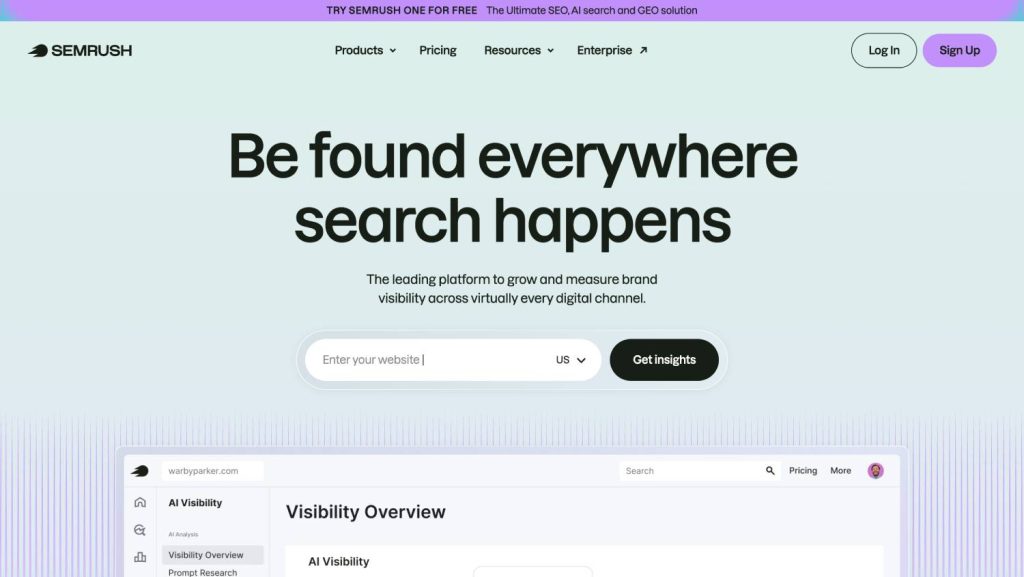
15. Semrush / AI Visibility Tooling
Best for: Teams that want to track not just search rankings but actual brand presence inside AI-generated answers and discovery surfaces.
Why it matters in 2026: You cannot optimize for AI visibility if you cannot measure it. That sentence is obvious, and yet almost no content team has any reliable data on whether their brand appears in ChatGPT responses, Perplexity summaries, or Google AI Overviews for their core category questions.
Semrush’s investment in AI visibility tracking, covering brand mentions inside AI-generated results across multiple platforms, addresses that gap more seriously than any other mainstream analytics platform. The data is imperfect. The methodology is still maturing. Track it now anyway, before you have two years of invisible competitive erosion to explain.
Pros
Most developed AI visibility tracking inside a mainstream SEO analytics platform
Covers brand mentions across AI-generated results on multiple platforms
Existing Semrush users gain AI measurement without adding another vendor
Traditional SEO data and AI visibility data sit in one reporting environment
Investment in the category signals long-term commitment to AI search tracking
Cons
AI visibility methodology is still maturing and data is directional, not definitive
Category benchmarks barely exist making comparative analysis difficult currently
AI tracking is one feature among hundreds rather than a dedicated focus
Depth of AI citation analysis trails purpose-built tools like Otterly or Profound
Pricing reflects the full SEO suite even if AI tracking is primary need
Where it fits in the stack: Measurement and reporting layer. Closes the loop between content investment and AI-surface presence. Makes the case for content marketing in a world where session counts and page views are no longer the right proxies for reach.
What to watch out for: This category is nascent. Treat the numbers as directional, not definitive. The benchmarks barely exist. The value right now is in building a baseline, understanding the trend, and having data to act on when the measurement fidelity improves. Start tracking now.
Verdict
Semrush earns its place here because it is the first mainstream analytics platform to treat AI visibility as a real measurement problem. The data is imperfect. Track it now anyway. Two years from now, the teams that built a baseline today will have trend data to act on. The teams that waited will have two years of invisible competitive erosion to explain to their board with no data to diagnose what happened.
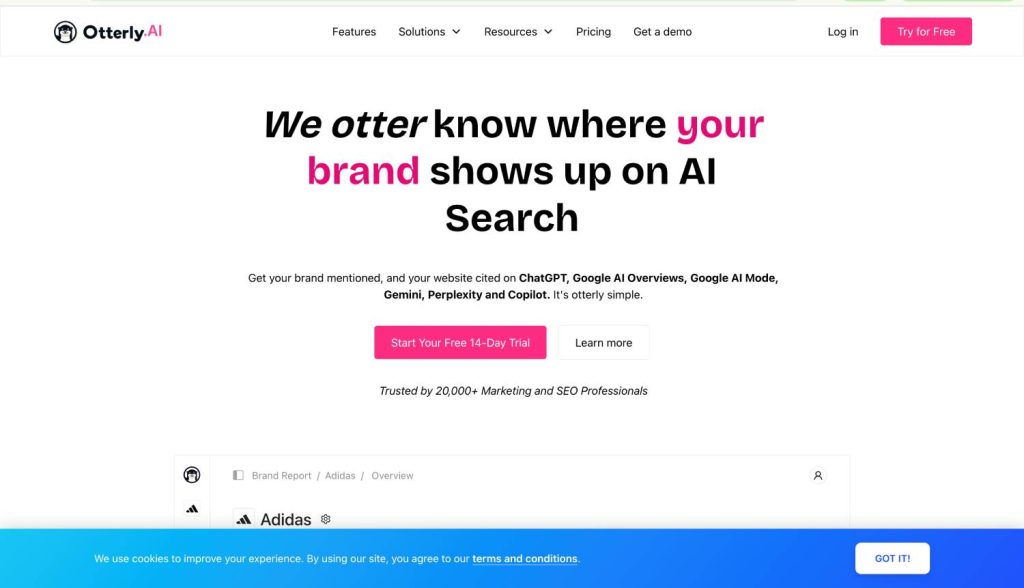
16. Otterly.ai
Best for: Content and SEO teams that need a dedicated dashboard for tracking brand visibility across AI search platforms without enterprise pricing
Why it matters in 2026: Semrush added AI visibility to an existing SEO suite. Otterly.ai was built from the ground up to do one thing: show you whether your brand appears in AI-generated answers and how that presence changes over time.
The platform monitors six AI search surfaces, ChatGPT, Google AI Overviews, Google AI Mode, Perplexity, Gemini, and Microsoft Copilot, and reports Share of AI Voice against competitors for every tracked prompt.
The GEO audit tool evaluates 25+ on-page factors affecting citation likelihood, which turns visibility data into a prioritized list of things to actually fix. For agencies managing multiple brands, the workspace model keeps client dashboards separate without per-client fees.
The value is in the operational loop: define the prompts your buyers use, monitor which brands get cited, identify the gaps, and adjust content accordingly. That loop barely existed twelve months ago. Otterly.ai is one of the tools making it practical.
Pros
Monitors six AI search surfaces from a single dedicated dashboard
GEO audit evaluates 25+ on-page factors affecting AI citation likelihood
Share of AI Voice metric quantifies competitive positioning across prompts
Agency workspace model manages multiple brands without per-client fees
Accessible starting price makes AI visibility tracking viable for smaller teams
Cons
No traffic or revenue attribution connecting citations to business outcomes
Weekly data refresh cadence can feel slow for fast-moving competitive categories
Does not generate content or provide optimization recommendations beyond the audit
Claude is currently missing from the list of monitored AI platforms
Depth of citation analysis is lighter than enterprise tools like Profound
Where it fits in the stack: AI visibility monitoring layer. Complements Semrush rather than replacing it. Use Semrush for traditional search analytics, Otterly.ai for dedicated AI citation tracking across platforms.
What to watch out for: No traffic attribution. It tells you whether you are being cited, not whether those citations drove sessions or pipeline. Teams that need the full measurement chain from citation to revenue will need to connect it with their analytics stack manually.
Verdict
Otterly.ai is the most practical entry point for teams that know they need to track AI visibility but are not ready for enterprise pricing. The operational loop enables, defines prompts, monitors citations, identifies gaps, and adjusts content which is the foundation of any serious AI discoverability program. Start here. Graduate to Profound when your program justifies the investment. The worst decision is not choosing the wrong tool. It is measuring nothing.
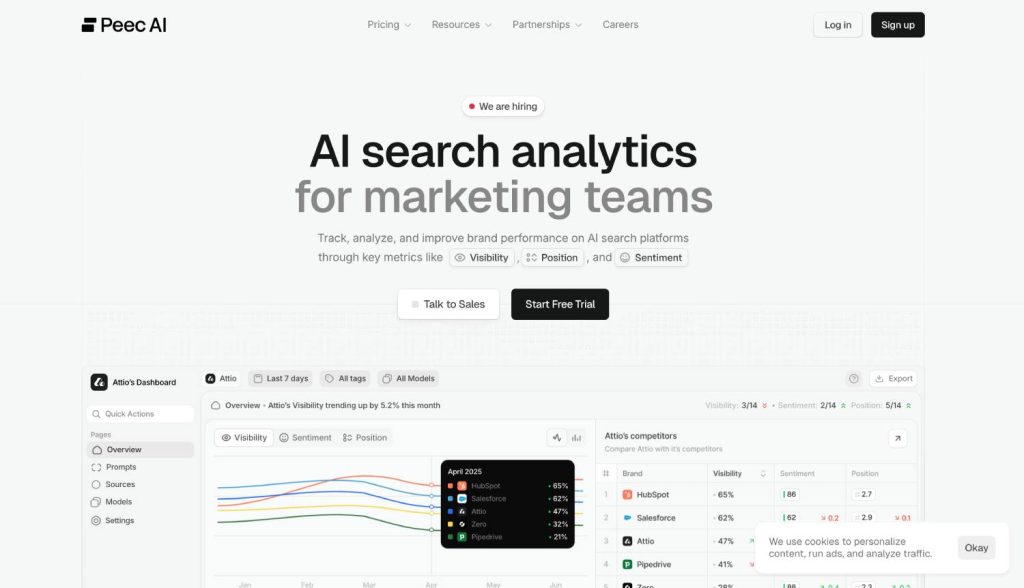
17. Peec AI
Best for: Marketing teams that need to understand not just whether AI mentions their brand, but how AI talks about their brand
Why it matters in 2026: Most AI visibility tools count mentions. Peec AI evaluates the quality and sentiment of those mentions, whether your brand is positioned as a market leader, a budget alternative, or something a user should avoid.
That distinction matters enormously. Being cited alongside premium competitors signals a different market position than being cited alongside discount options, and Peec AI quantifies the difference.
The platform runs tracked prompts daily across ChatGPT, Perplexity, Google AI Overviews, and additional engines available as add-ons. Citation tracking distinguishes between content that was “used” to inform an answer and content that was explicitly “cited” with a link, which is a nuance most tools miss entirely. The source-level analysis shows which third-party domains are being referenced most often in your category, which turns citation monitoring into a digital PR target list.
Pros
Sentiment analysis reveals how AI positions your brand, not just mentions
Distinguishes between content “used” and content explicitly “cited” with links
Source-level analysis turns citation data into a digital PR target list
Daily prompt execution provides reliable trend data across tracked queries
Clean interface keeps the focus on actionable visibility insights
Cons
Monitoring platform only with no content creation or optimization capabilities
Base coverage requires paid add-ons for Gemini, Claude, and additional engines
No traffic attribution connecting AI mentions to sessions or pipeline
Pricing starts at €89/month for just 25 prompts which scales quickly
Action layer must be built through your existing content and SEO stack
Where it fits in the stack: Brand intelligence layer for AI search. Sits alongside visibility tracking tools and adds the sentiment and positioning dimension that raw citation counts cannot provide.
What to watch out for: Peec AI is a monitoring platform, not an optimization platform. It surfaces what is happening. It does not generate the content or build the authority signals needed to change what is happening. Teams that need an action layer will use Peec AI for insight and route the work through their content and SEO stack.
Verdict
Peec AI answers a question the other measurement tools do not: is AI positioning your brand as a leader or a budget alternative? That distinction matters enormously. Being cited is one thing. Being cited alongside premium competitors in a favorable framing is something else entirely. Use it for brand intelligence. Route the optimization work through your content stack. The insight it surfaces is worth the subscription. The action it requires is on you.
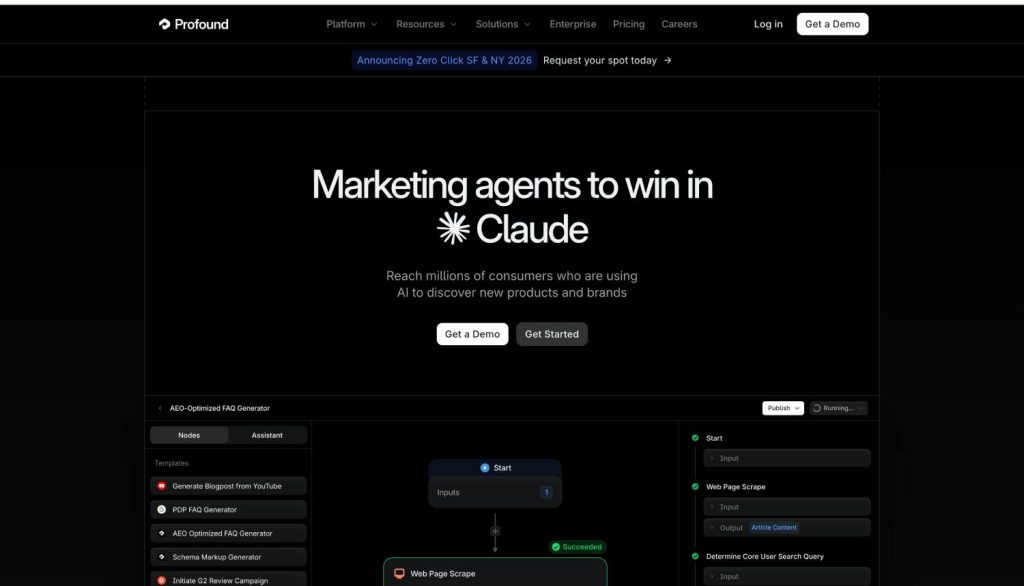
18. Profound
Best for: Enterprise brands that want AI visibility analytics connected to revenue attribution and competitive intelligence at scale
Why it matters in 2026: Profound is the deepest platform in this category. Where other tools track whether your brand appears in AI answers, Profound connects that visibility to traffic, conversion, and revenue through its Agent Analytics integration, the measurement chain most tools leave incomplete.
The platform’s Prompt Volumes feature estimates actual search volume across AI conversations, drawing from panels of millions of real AI assistant users. This is data that does not exist anywhere else in the category.
It answers a question no traditional keyword tool can: “how many people are asking ChatGPT about my category, and what exactly are they asking?” For brands running serious AI visibility programs, that demand signal is the planning layer everything else depends on.
Profound also offers automated content workflows and AI-optimized brief generation, closing the gap between insight and action that plagues pure monitoring tools. SOC 2 Type II compliance and SSO make it viable for enterprise security requirements that rule out lighter tools.
Pros
Only platform connecting AI visibility to traffic, conversion, and revenue attribution
Prompt Volumes estimates actual AI search demand from millions of real users
Agent Analytics shows which AI crawlers visit your site and what they analyze
Automated content workflows close the gap between insight and execution
SOC 2 Type II compliance and SSO meet enterprise security requirements
Cons
Full platform starts at $399/month per workspace which excludes smaller teams
Feature depth requires a team with organizational maturity to fully utilize
Complexity demands a dedicated operator rather than occasional casual use
A two-person content operation will pay for capabilities it cannot absorb
Newer platform with less market tenure than established SEO analytics tools
Where it fits in the stack: Enterprise AI visibility command center. Replaces the need for separate monitoring, analytics, and content tools for teams with budget and organizational maturity to use the full platform.
What to watch out for: Pricing reflects the enterprise positioning. The full platform starts at $399/month per workspace, and the depth of features requires a team that will actually use them. A two-person content operation will pay for capabilities it cannot absorb. Start with a lighter tool and graduate to Profound when the program justifies it.
Verdict
Profound is the deepest platform in this category, and it is not close. The Prompt Volumes feature, estimating what millions of real users are actually asking AI tools, is data that does not exist anywhere else. The revenue attribution chain from citation to conversion is the measurement layer every serious AI visibility program eventually needs. Start with a lighter tool. Graduate to Profound when your program, your budget, and your team can absorb what it offers. It is built for the stage after you have proven AI visibility matters to your business.
The 18 Tools, Compared
Tool
Category
Best For
Starting Price
Free Tier
Ahrefs
Plan
Competitive authority mapping, topical gap analysis
~$129/mo
No
Clearscope
Plan
Topical completeness scoring for AI discoverability
~$170/mo
No
Surfer SEO
Plan
Data-driven content briefs and on-page optimization
~$89/mo
No
ChatGPT
Create
Rapid ideation, research synthesis, first-draft generation
$20/mo (Plus)
Yes
Jasper
Create
Brand voice consistency across high-volume teams
$39/mo (Creator)
No
Notion AI
Create
Workflow-embedded drafting for Notion-native teams
$10/member/mo add-on
No
Copy.ai
Create
Automated content pipelines for GTM teams
$36/mo
Yes
Claude
Create
Long-form accuracy, research synthesis, complex reasoning
$20/mo (Pro)
Yes
Writer
Refine
Enterprise brand voice enforcement at system level
$18/user/mo
No
Grammarly
Refine
Portable quality and tone check across every writing surface
$15/member/mo
Yes
HubSpot Breeze
Distribute
AI content inside CRM and marketing automation stack
$20/mo (Starter)
Yes
Canva
Distribute
Visual repurposing for teams without designers
$13/mo (Pro)
Yes
Descript
Distribute
Transcript-based audio and video editing
$24/mo
Yes
Synthesia
Distribute
AI avatar video at scale without production budget
$22/mo
No
Semrush
Measure
AI visibility tracking inside a full SEO analytics suite
~$130/mo
No
Otterly.ai
Measure
Dedicated AI citation monitoring across 6 platforms
$29/mo
14-day trial
Peec AI
Measure
Brand sentiment and citation quality analysis in AI answers
~$97/mo (€89)
No
Profound
Measure
Enterprise AI visibility with revenue attribution
$399/mo (workspace)
No
The Advantage Is Not the Tool. It Is the Stack.
None of these tools, used in isolation, changes your content marketing trajectory.
ChatGPT without a quality layer produces generic content fast. Clearscope without a distribution strategy produces optimized content no one sees. AI visibility measurement without the content to back it up produces data about a problem you have not yet solved.
The teams pulling ahead in 2026 are not the ones with the best single tool. They are the ones who have built a stack where the output of each layer feeds the next: research and planning that drives creation, creation that flows through a refinement system, refined content that gets distributed into every format the audience uses, and measurement that tracks whether any of it is actually building brand presence in the places that now decide what gets found.
Most teams have the first layer. Some have the second. Almost no one has a real plan for the fifth.
That is where the advantage is being built right now. The brands that know whether they are being cited by AI systems, and can adjust their content architecture accordingly, will compound authority in ways that teams focused only on publishing volume cannot replicate. Publishing frequency is a commodity. Structural presence in AI-generated answers is not.
The content marketing question in 2026 is not “are you using AI?” Everyone is.
The question is “do you know if it is working?”
Most teams do not. That is the gap. Close it.
P.S. If you want to measure whether your site and content is actually being cited by AI systems, the AI Visibility Score framework breaks down how to track it.
FAQ
1. What is the best AI tool for content marketing in 2026?
There’s no single best tool; it depends on your job-to-be-done. For planning, Ahrefs and Clearscope lead. For creation at scale, ChatGPT and Jasper are top picks.
For refinement and brand consistency, Writer is the enterprise standard. For measuring AI visibility, Semrush is currently the most developed option.
2. How do AI content tools affect SEO and AI search visibility?
Traditional SEO optimizes for keyword rankings in Google. AI search visibility, meaning appearing in ChatGPT, Perplexity, Claude, or Google AI Overviews, depends on topical authority, content comprehensiveness, and structured, citable writing.
Tools like Clearscope, Surfer SEO, and Semrush’s AI visibility features directly address this shift.
3. Is Claude (Anthropic) good for content marketing?
Yes, particularly for research-heavy, long-form, or high-stakes content where accuracy matters. Claude is known for strong document analysis, reliable fact-handling, and nuanced reasoning.
It’s less optimized for high-frequency, low-complexity production than tools like Jasper or Copy.ai.
4. What’s the difference between Clearscope and Surfer SEO?
Clearscope focuses on topical completeness, ensuring your content covers every subtopic an authoritative piece would address. Surfer SEO focuses on structural patterns like heading distribution, word count, and NLP term frequency compared to top-ranking pages.
Many teams use both: Surfer to structure briefs, Clearscope to pressure-test coverage.
5. How much do these AI content tools cost?
Pricing varies significantly. Grammarly and Notion AI start under $20/month. Clearscope and Surfer SEO run $50 to $200/month depending on usage. Jasper and Writer are team-priced and scale into the hundreds per month.
Ahrefs and Semrush start around $100 to $130/month for individual plans. Synthesia and Descript are usage-based with entry tiers around $20 to $30/month.
6. Can AI content tools replace human writers?
Not for high-value content. AI tools excel at structure, speed, and scale. They struggle with original insight, brand voice without training, and accuracy under factual pressure.
The winning model in 2026 is augmentation: human writers setting direction, editorial judgment, and differentiation, with AI tools handling research synthesis, first drafts, reformatting, and distribution.
7. What is AI visibility and how do I measure it?
AI visibility refers to whether your brand appears, with authority, in AI-generated answers from systems like ChatGPT, Perplexity, Google AI Overviews, or Claude. Currently, Semrush’s AI visibility tracking is the most developed mainstream tool for this.
The measurement category is nascent; treat current data as directional and start building your baseline now.
8. What is the best AI tool for video content marketing?
For teams without a production budget, Synthesia (AI avatar video at scale) and Descript (transcript-based video editing) are the two most practical options.
Synthesia excels at product education, onboarding, and localized content. Descript excels at repurposing recorded interviews, webinars, and podcasts into short-form clips.