

Your image CDN bill arrived last month and it was noticeably higher than the month before, yet your traffic barely moved.
That is the moment most engineering and product teams start looking at imgix alternatives, and the number of teams doing exactly that has grown sharply since imgix transitioned all plans to a credit-based billing model at renewal in 2025.
The problem is not just the bill. It is that predicting the bill requires understanding how 3 separate consumption buckets draw from the same prepaid credit pool simultaneously: storage and cache management, CDN delivery, and transformations.
A single high-resolution product image triggers all three at once. When traffic spikes or a designer adds responsive variants for a new layout, those combined effects drain the credit pool faster than any plan calculator predicted.
This guide evaluates the seven most practical imgix alternatives available in 2026. Each platform is reviewed across pricing structure, image delivery performance, transformation depth, migration complexity, and the specific scenarios where it makes the most sense. The goal is to give you enough signal to make a switching decision without visiting seven different vendor websites to piece the picture together.
TL;DR
- Imgix moved all plans to a credit-based billing model at renewal, making monthly costs significantly harder to predict because storage, delivery, and transformation credits draw from the same shared pool.
- Gumlet charges only for bandwidth delivered, offers imgix-compatible URL parameters, and includes video hosting in the same account, making it the lowest-friction migration path on this list.
- ImageKit starts at $9 per month with a free tier that covers 20 GB of bandwidth monthly, and its URL transformation API closely mirrors imgix’s parameter conventions.
- Cloudinary is the most feature-complete platform, covering images, video, and a full digital asset management suite, but it uses the same shared credit model as imgix.
- BunnyCDN costs roughly $10 to $12 per month for unlimited image optimization at flat rates, making it the most affordable option for high-traffic, bandwidth-heavy sites that do not need AVIF or AI transformations.
- Cloudflare Images charges per unique transformation rather than per request, which means serving the same optimized image one million times still counts as one billing unit, a model that specifically benefits sites with predictable image sets.
What Actually Changed with Imgix Pricing (and Why Teams Are Leaving)
For most of its history, imgix sold on a straightforward premise: point the service at your S3 bucket, append URL parameters, and receive optimized images from a global CDN with no preprocessing required. The pricing was anchored to the number of source images, with bandwidth included, and teams could predict their bills with reasonable accuracy.
The credit model that replaced that system in 2025 works very differently. Instead of paying separately for storage and bandwidth, every plan now comes with a bundle of credits consumed across three categories. Media management covers cache storage. Delivery covers bandwidth and cache reads. Transformations cover resizing, format conversion, quality adjustments, and AI-powered operations.
One product page with a hero image, three responsive breakpoints, and an AVIF conversion touches all three categories in a single page load.
A single product detail page might increase cache storage, drive significant delivery bandwidth on mobile and desktop, and trigger multiple transformations per image for responsive variants and new formats.
Overage charges apply once credits are exhausted, and those rates run meaningfully higher than the contracted per-credit cost. Credits expire monthly with no rollover. For teams whose traffic is seasonal, promotional, or simply growing fast, this creates billing volatility that was not present under the previous model.
The technology underneath imgix has not degraded. The URL parameter system remains capable, the CDN performance is solid, and the 2026 update added video processing to the platform. But cost predictability is now the primary reason teams begin evaluating alternatives, and several competitors have structured their pricing specifically to address that problem.
What to Evaluate Before You Switch
Image CDN alternatives are not interchangeable. They solve the delivery and optimization problem with different trade-offs, and picking the wrong one means either a painful migration months later or paying for capabilities you will never use.
Four variables determine which alternative is the right fit.
1. Pricing structure
It’s the most immediate concern for teams leaving imgix over cost. The main models in this market are bandwidth-only billing, flat-rate optimizer plus bandwidth, per-unique-transform billing, and shared credits. Each behaves very differently at scale, and the one that is cheapest at your current volume may not stay cheapest as traffic grows.
2. Migration complexity
It determines engineering cost. Platforms that use imgix-compatible URL parameters allow a CNAME swap with minimal code changes. Platforms with different parameter conventions require rewriting how your application constructs image URLs, which takes meaningfully longer and carries more risk during the cutover window.
3. Video support
It matters more than most imgix alternatives articles acknowledge. If your product delivers video alongside images and you are evaluating an image-only CDN replacement, you are solving half the problem and adding a third vendor relationship. Two platforms on this list handle both under one plan.
4. Transformation depth
It covers the gap between basic resize and crop versus AI-powered smart cropping, background removal, face detection, and generative features. Most teams use a small subset of imgix’s transformation capabilities. Identifying exactly which parameters your codebase actually uses before evaluating alternatives is worth an hour of audit time.
The 7 Best Imgix Alternatives in 2026
1. Gumlet: Best for Teams Wanting an Imgix-Compatible Switch With Video Included

Gumlet is an image optimization and video hosting platform that connects to your existing object storage, transforms images in real time, and delivers through a global CDN. The image CDN and video hosting products are separate plans within the same account, which removes the need to manage separate vendor relationships for the two most bandwidth-intensive asset types on most modern web products.
For teams migrating from imgix, the most practically relevant detail is parameter compatibility. Gumlet uses the same query-string-based transformation convention as imgix, and the majority of parameters map directly with identical names. The migration path is a hostname swap and a parameter audit rather than a codebase rewrite.
A staged CNAME cutover on a non-production subdomain first, validating transformation output before cutting over production traffic, is the recommended approach and keeps rollback simple if anything looks wrong. Gumlet’s own imgix alternative comparison page walks through the technical parity in detail for teams doing a formal evaluation.
Gumlet also supports JPEG XL natively, alongside WebP and AVIF, which imgix does not support without developer-side intervention. Format selection is automatic based on browser support, which means no additional URL parameters are needed to serve modern formats to supported browsers.
Pricing (Image, annual billing):
| Plan | Price | Bandwidth Included | Overage Rate | Domains | Sources |
|---|---|---|---|---|---|
| Free | $0/mo | 30 GB | $0.50/GB | — | — |
| Growth | $32/mo | 300 GB | $0.15/GB | 2 | 30 |
| Business | $199/mo | 2,500 GB | $0.08/GB | 5 | 100 |
| Enterprise | On quote | Custom | Custom | Unlimited | Unlimited |
Pricing is bandwidth-only. There are no per-transformation charges, no image count limits, no credit pools, and no expiring allocations. Overage rates decline at higher plan tiers, which means scaling traffic does not trigger a disproportionate cost jump the way credit overage rates do.
Video hosting is priced separately under Gumlet’s video plans, and a free tier with 30 GB monthly bandwidth allows production validation before committing to a paid plan.
What it does well: Bandwidth-only pricing is the most directly comparable to a fixed infrastructure cost and the easiest to model at scale. The imgix parameter compatibility makes migration a one-day engineering task for most stacks. Support is available via live chat around the clock, which contrasts with imgix’s email-only support on basic plans. Gumlet also claims websites powered by its image CDN load up to 35 percent faster and can reduce CDN bandwidth spend by up to 30 percent through compression and modern format delivery.
What it does not do: AI-powered transformations such as background removal, generative fill, and 3D support are not part of the image offering. Image-level analytics are less granular than what Cloudinary provides. The custom CNAME feature carries a per-subdomain cost, which adds up for teams managing many branded image domains. Video hosting requires a separate plan rather than being bundled into image pricing.
Best for: Engineering and product teams at SaaS companies, e-commerce brands, and media businesses that currently use imgix for images, also need reliable video delivery, and want a bandwidth-based pricing model that scales predictably without credit pools. The lowest-friction migration path on this list.
2. ImageKit.io: Best for Developer-First Teams Who Want a Real Free Tier
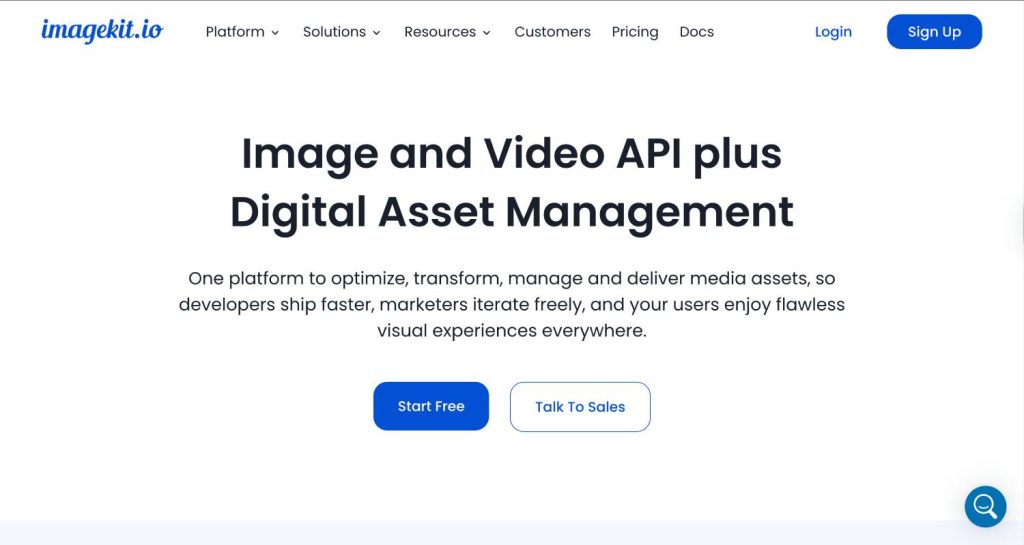
ImageKit.io is an image and video optimization platform serving over 15,000 companies and developers globally. Its CDN spans 200 edge delivery points across 6 processing regions, and it connects to existing storage, whether S3, Google Cloud, Azure, or a web server, without requiring asset migration.
ImageKit’s transformation API is URL-based and closely mirrors imgix’s parameter structure. Crop modes, resize dimensions, quality adjustments, and format conversion all work through query parameters appended to the image URL.
The free tier is genuinely usable for production workloads, not just sandbox testing: 20 GB of bandwidth per month at no cost, with multiple processing regions available even on free accounts.
The platform also includes an integrated media library, a feature imgix does not offer natively. Teams can upload, tag, search, and organize assets directly within the platform, which removes the need for a separate DAM tool for teams with moderate asset management requirements.
Pricing: Free plan includes 20 GB bandwidth and 20 GB storage per month. The paid Lite plan starts at $9 per month. The Pro plan begins at $89 per month and includes 225 GB bandwidth, 225 GB media library storage, video processing units, and access to third-party AI extensions such as background removal. Additional bandwidth is billed at $0.45 per GB on the Pro plan. Storage overages are billed at $0.09 per GB.
What it does well: The free tier removes financial risk from the evaluation phase entirely. The URL transformation API is developer-familiar for teams coming from imgix. Support response times average under one hour, and multiple processing regions are accessible on free accounts, a contrast to Cloudinary, which defaults all non-enterprise accounts to US processing. ImageKit has been shown to reduce page weight by more than 30 percent through compression and format optimization.
What it does not do: The Pro plan minimum billing of $89 is higher than imgix’s starter entry if you are a lower-volume team. Video processing is available but is not as mature or purpose-built as Gumlet’s video product. AI-powered extensions like background removal consume separate unit allocations that add billing complexity. ImageKit is not the right choice for teams with heavy DAM requirements across large creative teams.
Best for: Developers and engineering leads who want imgix-style URL transformation, a working free tier to validate performance before committing, and light asset organization built into the platform. Particularly well suited to early-stage and growth-stage SaaS companies where the free tier provides real runway.
3. Cloudinary: Best for Teams That Need a Full Media Experience Platform

Cloudinary is the most feature-complete media platform in this comparison. It covers image optimization, video transcoding, digital asset management, team collaboration, and a deep library of AI-powered transformation features including background removal, generative fill, 3D model rendering, face detection, and content-aware cropping.
Clients across e-commerce, media, and enterprise SaaS use it as a single pipeline for every media operation: upload, organize, transform, and deliver. Where imgix treats storage as your problem and focuses on delivery and transformation, Cloudinary manages the entire stack. This makes it a heavier platform to implement but a more complete replacement for teams whose media requirements extend beyond what a pure image CDN provides.
One trade-off worth naming clearly before evaluating Cloudinary as an imgix replacement: it uses a shared credit system similar in structure to imgix’s current model. Credits are consumed across bandwidth, storage, and transformation simultaneously. Teams leaving imgix primarily because of credit-based billing unpredictability will find the same fundamental dynamic at Cloudinary, particularly at scale.
On processing geography, Cloudinary defaults all non-enterprise accounts to US-based processing locations. Teams with concentrated user bases in Asia-Pacific or Europe will see higher transformation latency on standard plans compared to ImageKit, which provides regional processing on free accounts.
Pricing: A free tier is available with limited credits. Paid plans scale based on combined credit consumption across bandwidth, storage, and transformations. The effective monthly cost depends heavily on asset volume, transformation complexity, and delivery geography. Enterprise contracts are custom.
What it does well: No other platform on this list comes close to Cloudinary’s transformation feature set. AI background removal, generative fill, automatic tagging, 3D model conversion, social media format presets, and video transcoding are all available from a single API.
The integration ecosystem across CMS plugins, e-commerce connectors, and framework SDKs is the broadest in the category. The DAM includes team collaboration, asset tagging, and approval workflows that most image CDN competitors do not offer at all.
What it does not do: The shared credit model creates the same billing unpredictability as imgix for teams with variable traffic or heavy transformation usage. Processing defaults to US locations on non-enterprise plans. Setup is more complex than imgix, Gumlet, or ImageKit for teams that only need image CDN delivery. The platform is genuinely overkill if image optimization and CDN delivery are the only requirements.
Best for: Marketing teams, creative agencies, and enterprise product teams that manage both images and video at scale, need built-in DAM with team collaboration, and want AI-powered transformations that go beyond what any other platform on this list provides. Not the right choice if predictable billing is the primary reason for leaving imgix.
4. Cloudflare Images: Best for Existing Cloudflare Infrastructure Customers
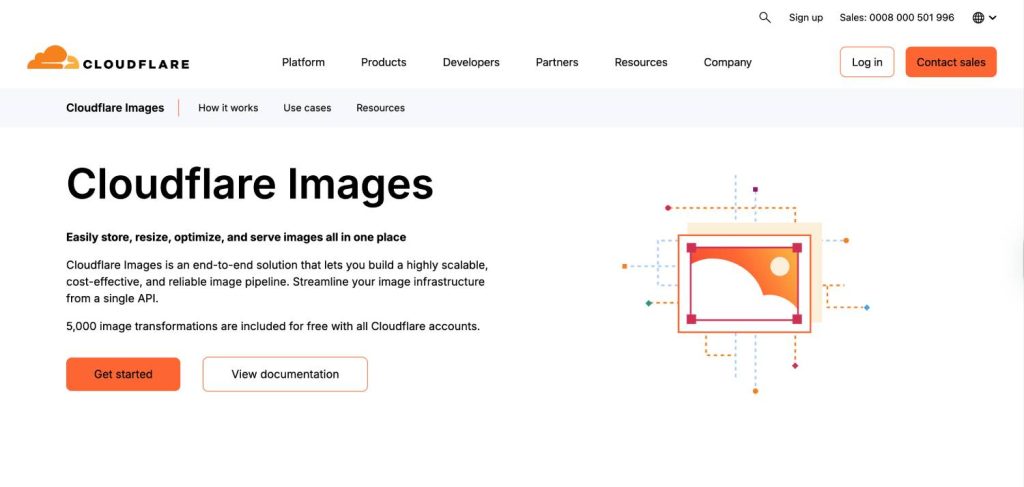
Cloudflare Images is a contextual choice: it is excellent if your infrastructure already runs on Cloudflare, and less compelling as a standalone evaluation.
The billing model is the most structurally distinctive on this list. Cloudflare charges per unique transformation, not per request. If a 400-pixel-wide WebP version of a product image is requested one million times, it counts as one billable unit, because only the first request creates the transformation and subsequent requests are served from cache.
This model specifically benefits sites with stable, well-defined image sets where the same transformations are requested repeatedly at scale.
The free tier covers 5,000 unique transforms per month at no cost. Beyond that, transforms are priced at $0.50 per 1,000. Storage and delivery fees only apply if images are stored inside Cloudflare’s own Images bucket.
Teams using external origins, whether S3, Cloudflare R2, or a web server, pay only the transformation fee. Pairing with Cloudflare R2, which carries no egress charges, keeps delivery costs near zero.
AVIF delivery is listed as best-effort rather than guaranteed across every edge node. WebP delivery is consistent. The transformation parameter set is narrower than imgix, ImageKit, or Cloudinary, and smart cropping, face detection, and AI transformations are limited compared to dedicated image CDN platforms.
At roughly 15,000 unique transforms per month, flat-rate alternatives like BunnyCDN’s Optimizer become more cost-effective. Below that threshold, Cloudflare Images is the most affordable option on this list for existing Cloudflare customers.
Pricing: Free: 5,000 unique transforms per month. Paid: $0.50 per 1,000 unique transforms. Storage (if using Cloudflare Images bucket): $5 per 100,000 images stored. Delivery (if using Cloudflare Images bucket): $1 per 100,000 images delivered. Using an external origin eliminates the storage and delivery line items.
What it does well: The per-unique-transform model is the most favorable possible billing structure for sites with defined, stable image sets. Integration with the existing Cloudflare dashboard means no new vendor onboarding. The global network spans over 330 cities. R2 integration eliminates egress fees entirely.
What it does not do: AVIF is not guaranteed on every edge node. The transformation feature set is narrower than every other platform on this list. Smart cropping and AI transforms are limited. No native video hosting product. Not imgix-URL-compatible, so migration requires parameter remapping.
Best for: Teams already running infrastructure on Cloudflare, particularly those using R2 for storage, who want to add image optimization without a new vendor relationship. Not suited to teams leaving imgix because they need richer transformation features or unlimited transformation volume at a flat rate.
5. BunnyCDN: Best for Cost-Efficiency at High Bandwidth Volume

BunnyCDN’s image optimization product, called Bunny Optimizer, uses a flat monthly fee for unlimited image transformations plus separate bandwidth billing at $0.01 per GB. For a site delivering 500 GB per month, the total bill is $9.50 plus $5 in bandwidth, roughly $15 total, with no per-transformation component anywhere in the model.
For teams where imgix’s credit pool was generating unpredictable overages, this represents the most dramatic cost reduction on this list. There is no credit expiry, no transformation quota, and no bandwidth tier to upgrade when traffic spikes. You pay for bandwidth consumed plus a flat fee that stays constant regardless of how many transformations run.
The trade-off is capability. BunnyCDN does not support AVIF. WebP is the ceiling for modern format delivery through the Optimizer. Smart cropping and AI transformation capabilities are limited compared to the dedicated image CDN platforms. There are no imgix-compatible URL parameters, so migration requires rewriting transformation parameter logic in application code rather than just a CNAME swap.
BunnyCDN also does not offer native video hosting, a media library, or DAM features. It is a CDN with an optimization layer, not a media platform.
Pricing: Bunny Optimizer: $9.50 per month flat (unlimited transformations). Bandwidth: $0.01 per GB delivered. 119 global edge locations. 99.99% uptime SLA. Storage billed separately at low rates.
What it does well: The price-to-performance ratio at high bandwidth volumes is unmatched on this list. The flat Optimizer fee removes transformation cost entirely from the billing equation. BunnyCDN is transparent about its limitations, including why it chose not to implement AVIF. The platform is well-documented and the developer tooling is clean.
What it does not do: No AVIF support (WebP is the maximum modern format). No imgix URL compatibility. No AI transformations. No video hosting. No media library or DAM. Migration requires parameter remapping in application code.
Best for: Agencies managing multiple high-traffic sites, e-commerce stores with large image catalogs and predictable delivery patterns, and content publishers where keeping the CDN bill low is the primary objective.
The right choice when the imgix bill is the primary problem, AI transformations are not required, and the team has engineering capacity to handle the parameter migration.
6. Sirv: Best for Visual Commerce and Product Photography
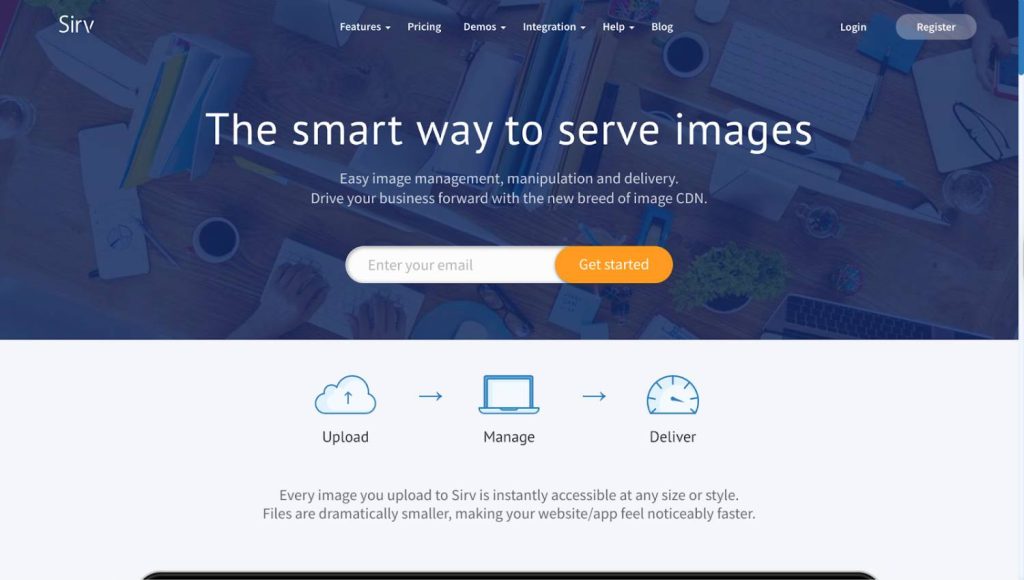
Sirv occupies a niche that no other platform on this list addresses: interactive product media for e-commerce. Its differentiating features are native 360-degree product spin support, advanced zoom capabilities built into the CDN delivery layer, and a media management interface designed for merchandising teams who work with product images without engineering support.
A 360-degree spin viewer works by delivering a sequence of product images, typically 24 to 36 frames shot on a rotating stage, as a single interactive asset. Sirv handles the sequencing, delivery, and viewer behavior natively, without requiring a separate JavaScript library or custom build process.
For product categories where an interactive spin view is a meaningful conversion driver, including footwear, electronics, furniture, and automotive accessories, this is a genuine capability gap that imgix, Gumlet, and ImageKit do not fill. For standard image CDN functionality, Sirv handles real-time URL-based transformations, WebP and AVIF delivery, watermarking, and smart cropping.
Pricing: Free plan covers 500 MB storage and 2 GB bandwidth monthly. Paid plans scale on storage and bandwidth consumption. Pricing is competitive for e-commerce image volumes compared to Cloudinary.
What it does well: 360-degree spin support is the only such capability on this list and a genuine competitive advantage for product-photography-driven e-commerce. AVIF support is included. The interface is accessible to non-developer users, which reduces engineering dependency for marketing and merchandising teams.
What it does not do: No video hosting or streaming product. The CDN network is smaller than Cloudflare, Cloudinary, or BunnyCDN in geographic coverage. No imgix URL compatibility; migration requires parameter remapping. Developer API tooling and documentation are less extensive than ImageKit or Gumlet. Community size is smaller than the major platforms.
Best for: E-commerce and retail brands with large product catalogs where 360-degree spins and interactive zoom are a meaningful part of the purchase experience. For teams outside visual commerce, Sirv’s core differentiator is irrelevant and another platform on this list will be a better fit.
7. Uploadcare: Best for Applications That Handle Mixed File Types Beyond Images
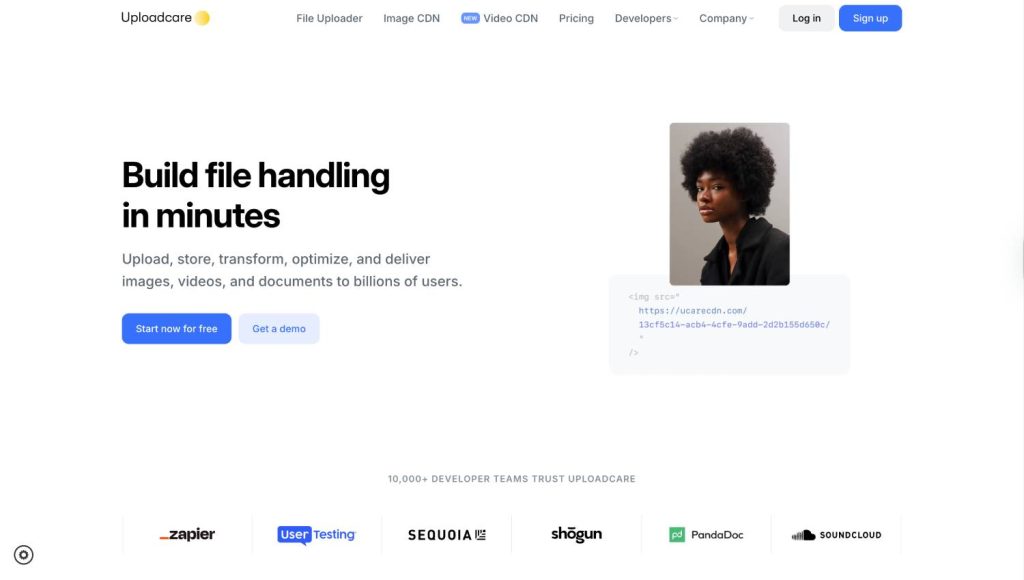
Uploadcare is a file handling platform rather than a dedicated image CDN. Its three APIs, Upload, CDN, and REST, work across file types including images, documents, videos, and PDFs, making it most relevant for product teams building user-generated content pipelines where the incoming file type is not controlled.
For pure image delivery, Uploadcare is not the most cost-efficient option compared to BunnyCDN, ImageKit, or Gumlet. Where it earns its place is in applications where images are one of many file types handled. Rather than building separate infrastructure for file upload and image delivery, teams can use a single API for both.
The smart CDN spans over 325,000 nodes globally, which gives it one of the largest delivery networks in this comparison. URL-based image transformations, automatic format selection, and AI-powered compression are all available. The upload widget handles client-side file processing and validation, reducing the engineering work required to build compliant upload flows.
Pricing: Usage-based, starting at approximately $1 per month. Scales with storage, bandwidth, and transformation volume across all file types handled.
What it does well: File type versatility is the primary differentiator. The 325,000-node CDN is the largest delivery network on this list. The upload widget significantly reduces the engineering effort for building file upload features. Pricing starts very low for small volumes.
What it does not do: Not cost-efficient for pure image CDN use cases compared to bandwidth-focused alternatives. Smart cropping and AI image transformations are less capable than ImageKit or Cloudinary. No native video hosting product. Pricing complexity grows with multi-file-type usage.
Best for: Product and engineering teams building applications with file upload requirements that extend beyond images — marketplaces, social platforms, SaaS tools with document handling, and any application where users submit mixed file types. For teams whose only requirement is optimized image delivery, another platform on this list will be more cost-efficient.
Side-by-Side Comparison
| Platform | Starting Price | Pricing Model | AVIF | Video | Imgix URL Compatible | Free Tier |
|---|---|---|---|---|---|---|
| Imgix | $25/mo | Credit-based | Yes | Yes (2026) | N/A | 30-day trial |
| Gumlet | $32/mo (Growth) | Bandwidth-only | Yes | Yes (separate plan) | Yes | 30 GB/month |
| ImageKit | $9/mo (Lite) | Bandwidth + storage | Yes | Limited | Partial | 20 GB bandwidth |
| Cloudinary | Custom | Credit-based | Yes | Yes | No | Yes (limited credits) |
| Cloudflare Images | $0.50/1K transforms | Per unique transform | Best-effort | No | No | 5,000 transforms/mo |
| BunnyCDN | $9.50/mo + $0.01/GB | Flat + bandwidth | No | No | No | No |
| Sirv | Free (limited) | Storage + bandwidth | Yes | No | No | 500 MB / 2 GB |
| Uploadcare | ~$1/mo | Usage-based | Yes | No | No | Yes (limited) |
The Migration Risk Most Comparison Guides Skip
Every existing imgix alternatives article covers features and pricing. Almost none of them address what makes a production switch genuinely high risk: broken image URLs and their cascading effects on Core Web Vitals, Google Image Search, and Open Graph metadata.
When you migrate from imgix, your image hostnames are embedded in three places that are easy to miss. First, XML sitemaps used by search engine crawlers. Second, Open Graph tags in page metadata that populate social media previews. Third, schema markup referencing image assets. Breaking these does not throw a visible error in your monitoring stack. It produces silent 404 responses that degrade your Largest Contentful Paint score and drop images from Google Image Search without a single alert firing.
The safest migration method across all platforms on this list is a staged CNAME cutover. Point a non-production subdomain at the new provider, validate transformation output against a representative set of your actual URL parameters, and cut over the production CNAME only after confirming matching output at realistic traffic levels. Keep your imgix source configuration active for at least 72 hours after cutover in case you need to roll back.
THIS IS THE STEP most teams skip, and it is the one that turns a clean migration into a two-week debugging session.
Platforms with imgix-compatible URL parameters allow this process to happen at the hostname level only. Platforms without parameter compatibility require code-level parameter remapping in addition to the CNAME change, which adds engineering time and introduces more points of failure during the cutover window.
How to Choose: A Practical Decision Framework
Choosing the right alternative comes down to matching your primary constraint to the platform that solves it most directly.
Choose Gumlet if your team manages both image delivery and video hosting, you want to avoid rewriting transformation parameters during migration, and predictable bandwidth-based billing is the goal. The imgix URL compatibility makes this the most conservative migration path.
Choose ImageKit if engineering owns the image CDN decision, developer experience and API documentation matter, you want a real free tier to validate before committing any budget, and moderate asset organization is useful but a full DAM is not required.
Choose Cloudinary if your team manages images, video, and creative assets from multiple contributors, AI-powered transformations are on the roadmap, and the operational cost of managing separate tools for delivery, DAM, and video justifies the platform’s pricing and setup complexity.
Choose Cloudflare Images if your infrastructure already runs on Cloudflare, your image set is relatively stable with predictable transformation patterns, and you want to add optimization without onboarding a new vendor.
Choose BunnyCDN if reducing CDN spend is the primary objective, your traffic is high and bandwidth-heavy, AVIF delivery is not a requirement, and your team has engineering capacity to remap transformation parameters.
Choose Sirv if you are in visual commerce and 360-degree product spin or advanced interactive zoom is a genuine conversion requirement for your catalog.
Choose Uploadcare if your application accepts mixed file types from user uploads and images are one component of a broader file handling pipeline.
People Also Ask About Imgix Alternatives
1. What is the easiest imgix alternative to migrate to without changing application code?
Gumlet is the closest match to imgix’s URL parameter convention. The majority of transformation parameters map directly between the two platforms, meaning the migration is a CNAME swap rather than a code rewrite.
Teams point a non-production image subdomain at Gumlet, validate transformation output across their active parameter combinations, and cut over the production CNAME once parity is confirmed. No structural changes to how the application constructs image URLs are required.
2. Is imgix’s credit-based pricing more or less expensive than alternatives?
At low and medium volumes, imgix’s credit pricing is broadly comparable to ImageKit and Gumlet.
The cost gap opens significantly at higher volumes and when traffic is variable, because overage rates on credits run substantially higher than the contracted per-credit cost. BunnyCDN’s flat Optimizer model is the most dramatically different in structure and the cheapest at high bandwidth volumes.
Cloudflare Images is the most affordable option for low-to-medium transformation volumes for teams already on Cloudflare infrastructure.
3. Do imgix alternatives require uploading or migrating image files?
No. Every platform on this list connects to existing object storage as an origin. None of them require re-uploading or moving image files.
You configure your S3 bucket or equivalent as the origin source, and the platform fetches and transforms images on request. Storage migration is not part of the switching process.
4. Does switching from imgix affect SEO?
Changing the hostname that serves images can affect Google Image Search signals, Largest Contentful Paint scores, and Open Graph metadata if not managed carefully.
The safest approach is a staged CNAME cutover using a non-production subdomain for validation before switching production traffic. XML sitemaps, schema markup, and OG tags referencing image URLs should be audited before cutover.
Using a platform with imgix-compatible URL parameters, where only the hostname changes and not the URL structure, reduces the surface area of risk significantly.
5. Which imgix alternative is best for e-commerce sites?
The answer depends on the type of e-commerce. For brands where product photography drives conversion and 360-degree interactive views are part the browsing experience, Sirv is the only platform on this list with native spin support.
For general e-commerce with large image catalogs and straightforward optimization requirements, Gumlet or BunnyCDN offer the best cost structure. For high-SKU retailers with complex media workflows across images, video, and creative teams, Cloudinary’s unified pipeline justifies the additional platform investment.
6. What formats does imgix support compared to alternatives?
Imgix supports WebP and AVIF. It does not natively support JPEG XL without developer-side configuration. Gumlet supports WebP, AVIF, and JPEG XL natively. ImageKit supports WebP and AVIF with JPEG XL on the roadmap.
BunnyCDN supports WebP only through its Optimizer. Cloudinary supports WebP, AVIF, and a broad set of modern formats across image and video. Cloudflare Images supports WebP and AVIF with best-effort delivery for AVIF.
7. Can I use an imgix alternative with my existing S3 bucket?
Yes. All seven platforms in this comparison support connecting to an existing S3 bucket (or compatible object storage) as the image origin. Files do not need to be moved or re-uploaded. The CDN fetches originals from your bucket, transforms them on request, and caches the result at the edge.
Final Assessment
Imgix built one of the most developer-friendly image CDN interfaces in the market. The URL parameter system remains capable, and the 2026 platform update added video processing to close a feature gap that competitors had exploited. The reason teams are leaving is structural: credit-based billing is fundamentally harder to predict than bandwidth-based billing, and the alternatives have caught up on delivery performance.
For most teams evaluating a switch in 2026, Gumlet’s parameter compatibility makes it the most conservative migration path with the clearest pricing structure. ImageKit is the better choice when developer tooling and a working free tier matter more than migration simplicity.
Cloudinary remains the right answer for teams with complex media operations that genuinely need a unified image, video, and DAM platform, with the understanding that the billing structure is not significantly different from imgix.
Whatever platform you test, validate it with actual traffic before committing. Run a staged CNAME cutover on a non-production subdomain, compare transformation output against your most-used parameter combinations, and check the real monthly cost against your actual bandwidth and transformation patterns.
The vendor’s pricing page and your specific usage profile will produce a very different number, and you need both before making the switch.
If you’re primarily evaluating Gumlet as your next image CDN, the private video hosting services guide on Found On AI is a useful companion read for teams also rationalizing their video infrastructure at the same time.